1
Table of contents
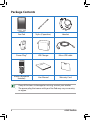
Package Contents........................................................................................4
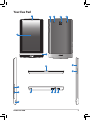
Your Eee Pad..................................................................................................5
Charging your Eee Pad..............................................................................8
Installing and removing a microSD card.............................................10
Installing the SIM card...............................................................................11
Turning your Eee Pad ON..........................................................................11
Turning your Eee Pad OFF........................................................................11
The Home screen.........................................................................................12
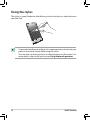
Using the stylus............................................................................................14
Using the touch gestures.........................................................................15
Setting up your Google Account...........................................................16
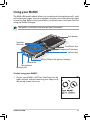
Using your MeMIC.......................................................................................17
Making calls...................................................................................................19
Using Speed Dial..........................................................................................20
Answering calls............................................................................................21
Using File Manager.....................................................................................22
Notices.............................................................................................................23
ASUS Eee Pad