1
Required Tools and Parts
Required Tools and Parts
Following are the tools and parts required to install the router:
•
•
•
Flat-blade screwdrivers: small, 3/16-inch (0.476 cm) and medium, 1/4-inch (0.625 cm)
•
Rubber feet for setting the router on a desktop, or rack-mount brackets for mounting the
router in a rack or on a wall (screws not included)
•
An interface cable (not included) for each LAN and WAN interface
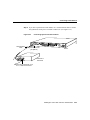
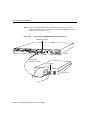
ESD-preventive wrist strap
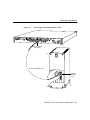
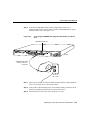
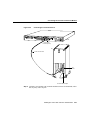
A thread-forming screw (which is not included), to attach a ground wire to the protective
grounding terminal on the rear panel of the chassis
In addition, you might need the following external equipment:
•
Ethernet transceiver, Ethernet 10BaseT hub, or PC with a network interface card for
Ethernet LAN connections.
•
•
Token Ring media attachment unit (MAU) for Token Ring connections.
•
Console terminal (an ASCII terminal or a PC running terminal emulation software)
configured for 9600 baud, 8 data bits, no parity, and 2 stop bits. A terminal is required
unless you are using the AutoInstall procedure. See the section “Connecting the
Console Terminal and Modem” later in this chapter for instructions on connecting a
console terminal.
•
Modem for remote system access (optional).
NT1 device for ISDN BRI WAN connections, if you do not have the module with the
integrated NT1 device.
3-2 Cisco 2524 and Cisco 2525 Router User Guide