1
Setting Up Your Player
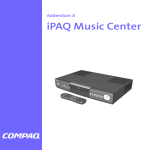
Thanks for buying a Compaq iPAQ Personal CD Player PCD-1, and welcome to the world of digital audio.
What is Digital Audio?
Digital audio is a way of compressing recorded sound so that it takes up much less storage space. A
song is reduced to about 1/10 its size, allowing you to store much more music on one CD. There are
many types of digital audio formats, but MP3 and WMA are two of the most popular.
Why Digital Audio?
Digital CD players provide many benefits:
> Up to 20 hours of music on one CD
> High quality sound
> Organization and personalization of your music
> The ability to take your favorite music with you anywhere!
Is Your PC Ready for Digital Audio?
If you have a multimedia PC with a CD-RW or DVD-RW drive, you are probably ready to create CDs.
To use the MusicMatch Jukebox 6.1 software included on the CD with your PCD-1, we recommend the
following requirements.
> 233 MHz processor
> Microsoft Windows 95 (with service pack 1), Windows NT 4.0 (with service pack 4),
Windows 98, Windows ME, Windows 2000, or Windows XP
> 100 MB free hard drive space
> CD-RW or DVD-RW drive
> 64 MB RAM
How to Get Help
If you have any trouble setting up your PCD-1 or would just like more information, visit Compaq’s
Web site:
http://www.compaq.com/iPAQaudio
Register Your PCD-1
Please register your PCD-1 to receive a more personalized support experience. You may register at
Compaq’s Web site:
http://www.compaq.com/go/register
Warranty
Your PCD-1 has a One-Year Limited Warranty. Please see the enclosed Warranty Card for further
details.
COMPAQ IPAQ PCD-1
1