1
2.5.2 Memory configurations
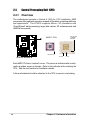
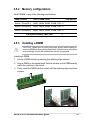
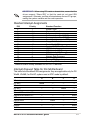
Install DIMMs in any of the following combinations.
DIMM Location
184-pin DIMM (DDR)
Socket 1 (Rows 0&1)
64MB, 128MB, 256MB, 512MB, 1GB x1
Socket 2 (Rows 2&3)
64MB, 128MB, 256MB, 512MB, 1GB x1
Socket 3 (Rows 4&5)
64MB, 128MB, 256MB, 512MB, 1GB x1
Total system memory (Max. 3GB)
Total Memory
=
2.5.3 Installing a DIMM
CAUTION! Make sure to unplug the power supply before adding or
removing DIMMs or other system components. Failure to do so may cause
severe damage to both the motherboard and the components.
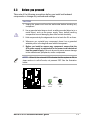
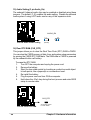
Installing a DIMM:
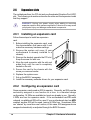
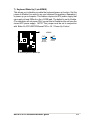
1. Unlock a DIMM socket by pressing the retaining clips outward.
2. Align a DIMM on the socket such that the notches on the DIMM exactly
match the notches in the socket.
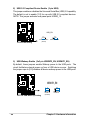
3. Firmly insert the DIMM into the socket until the retaining clips snap back
in place.
Unlocked Retaining Clip
ASUS A7V333 motherboard user guide
Locked Retaining Clip
15