1
Prepare Model for Structured Text Generation
Prepare Model for Structured Text Generation
In this section...
“Tasking Mode” on page 1-7
“Solvers” on page 1-7
“Configuring Simulink Models for Structured Text Code Generation” on page 1-7
“Checking System Compatibility for Structured Text Code Generation” on page 1-12
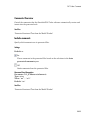
Tasking Mode
This step is only required if your Simulink model contains multi-rate signals. If your
Simulink model does not contain multi-rate signals, you may proceed to solver selection.
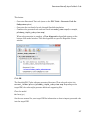
Simulink PLC Coder only generates code for single-tasking subsystems. For multirate subsystems, you must first explicitly set the tasking mode to single-tasking before
selecting a solver. On the Solver Options pane, select fixed step. Select SingleTasking
for tasking mode for periodic sample times.
Solvers
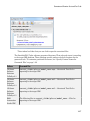
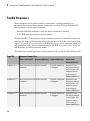
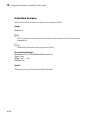
Choose a solver for your Simulink PLC Coder model.
Model
Solver Setting
Variable-step
Use a continuous solver. Configure a fixed sample time for the
subsystem for which you generate code.
Fixed-step
Use a discrete fixed-step solver.
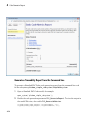
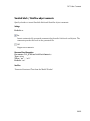
Configuring Simulink Models for Structured Text Code Generation
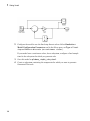
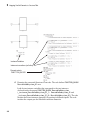
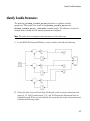
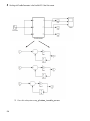
You must already have a model for which you want to generate and import code to a PLC
IDE. Before you use this model, perform the following steps.
1
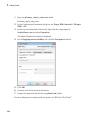
In the Command Window, open your model.
1-7