1
Table of contents
2.10
Replacing the covers .......................................................... 2-21
2.10.1 Replacing the front panel assembly ...................... 2-21
2.10.2 Replacing the system cover ................................. 2-22
2.11
Installing the foot stands ................................................... 2-23
2.12
Selecting the voltage ......................................................... 2-24
2.13
Connecting external devices .............................................. 2-24
Chapter 3: Getting started
3.1
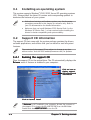
Installing an operating system ............................................. 3-2
3.2
Support CD information ........................................................ 3-2
3.2.1
Running the support CD ......................................... 3-2
3.2.2
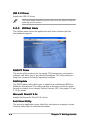
Drivers menu .......................................................... 3-3
3.2.3
Utilities menu .......................................................... 3-4
3.2.4
ASUS contact information ...................................... 3-5
3.2.5
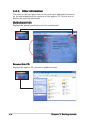
Other information ................................................... 3-6
Chapter 4: Motherboard info
4.1
Motherboard overview .......................................................... 4-2
4.2
Jumpers ................................................................................ 4-3
4.3
Connectors ........................................................................... 4-5
4.3.1
Rear panel connectors ............................................ 4-5
4.3.2
Internal connectors ................................................. 4-5
Chapter 5: BIOS setup
5.1
5.2
iv
Managing and updating your BIOS ........................................ 5-2
5.1.1
ASUS CrashFree BIOS 2 utility ................................ 5-2
5.1.2
ASUS Update utility ................................................ 5-3
BIOS setup program ............................................................. 5-6
5.2.3
Navigation keys ...................................................... 5-6
5.2.1
BIOS menu screen ................................................... 5-6
5.2.2
Menu bar ................................................................. 5-7
5.2.4
Menu items ............................................................. 5-8
5.2.5
Sub-menu items ..................................................... 5-8
5.2.6
Configuration fields ................................................ 5-8
5.2.7
Pop-up window ....................................................... 5-8