1
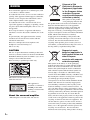
WARNING
Do not install the appliance in a confined space, such
as a bookcase or built-in cabinet.
To reduce the risk of fire, do not cover the ventilation
opening of the apparatus with newspapers, tablecloths,
curtains, etc. Do not place the naked flame sources
such as lighted candles on the apparatus.
To reduce the risk of fire or electric shock, do not
expose this apparatus to dripping or splashing, and do
not place objects filled with liquids, such as vases, on
the apparatus.
Do not expose batteries or apparatus with batteryinstalled to excessive heat such as sunshine, fire or the
like.
To prevent injury, this apparatus must be securely
attached to the floor/wall in accordance with the
installation instructions.
Excessive sound pressure from earphones and
headphones can cause hearing loss.
Indoor use only.
CAUTION
The use of optical instruments with this product will
increase eye hazard. As the laser beam used in this BD/
DVD Home Theatre System is harmful to eyes, do not
attempt to disassemble the cabinet.
Refer servicing to qualified personnel only.
This label is located on the laser protective housing
inside the enclosure.
This appliance is
classified as a CLASS 1
LASER product. This
marking is located on the
rear exterior.
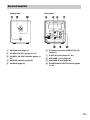
About the surround amplifier
• The nameplate is located on the side exterior.
2GB
Disposal of Old
Electrical & Electronic
Equipment (Applicable
in the European Union
and other European
countries with separate
collection systems)
This symbol on the product or
on its packaging indicates that
this product shall not be treated as household waste.
Instead it shall be handed over to the applicable
collection point for the recycling of electrical and
electronic equipment. By ensuring this product is
disposed of correctly, you will help prevent potential
negative consequences for the environment and human
health, which could otherwise be caused by
inappropriate waste handling of this product. The
recycling of materials will help to conserve natural
resources. For more detailed information about
recycling of this product, please contact your local
Civic Office, your household waste disposal service or
the shop where you purchased the product.
Disposal of waste
batteries (applicable in
the European Union and
other European
countries with separate
collection systems)
This symbol on the battery or on the packaging
indicates that the battery provided with this product
shall not be treated as household waste. On certain
batteries this symbol might be used in combination
with a chemical symbol. The chemical symbols for
mercury (Hg) or lead (Pb) are added if the battery
contains more than 0.0005% mercury or 0.004% lead.
By ensuring these batteries are disposed of correctly,
you will help prevent potentially negative
consequences for the environment and human health
which could otherwise be caused by inappropriate
waste handling of the battery. The recycling of the
materials will help to conserve natural resources. In
case of products that for safety, performance or data
integrity reasons require a permanent connection with
an incorporated battery, this battery should be replaced
by qualified service staff only. To ensure that the
battery will be treated properly, hand over the product
at end-of-life to the applicable collection point for the
recycling of electrical and electronic equipment. For
all other batteries, please view the section on how to
remove the battery from the product safely. Hand the
battery over to the applicable collection point for the
recycling of waste batteries. For more detailed
information about recycling of this product or battery,