1
Calibrating the
Appropriate Settings
Automatically
ANTE
COAX
NNA
IAL 75
FM
0
-RT1
EZW
AUDIO
L
TV
L MIC
A. CA
C2
ECM-A
L
EXT
DC5V
TV
ABLE
SAT/C IN
L
DIGITA
[Auto Calibration]
500mA
MAX
R
ID
S-AIR
A
B
C
R
L IN
DIGITA
AUDIO
IN
AUDIO
IN
AL
OPTIC
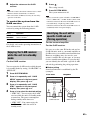
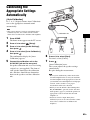
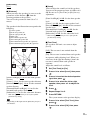
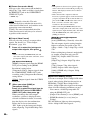
D. C. A. C. (Digital Cinema Auto Calibration)
can set the appropriate surround sound
automatically.
COAX
IAL
Note
• The system outputs a loud test sound when [Auto
Calibration] starts. You cannot turn the volume
down. Give consideration to children and neighbors.
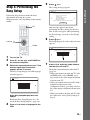
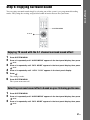
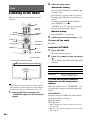
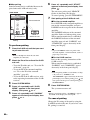
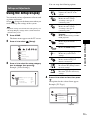
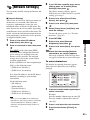
Press HOME.
Other Operations
1
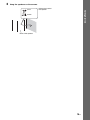
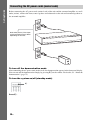
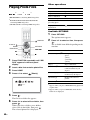
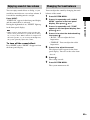
Calibration mic
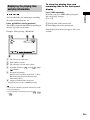
The home menu appears on the TV screen.
2
3
4
Press C/c to select
[Setup].
Press X/x to select [Audio Settings],
then press
.
Press X/x to select [Auto Calibration],
then press
.
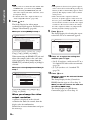
The confirmation display for [Auto
Calibration] appears.
5
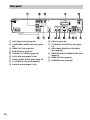
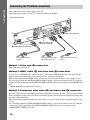
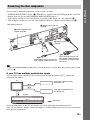
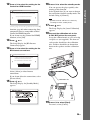
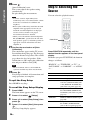
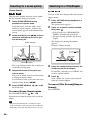
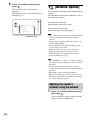
Connect the calibration mic to the
A.CAL MIC jack on the rear panel.
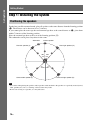
Set up the calibration mic at ear level using
a tripod, etc. (not supplied). The front of
each speaker should face the calibration
mic, and there should be no obstruction
between the speakers and the calibration
mic.
6
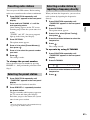
Press X/x to select [Start].
To cancel, select [Cancel].
7
Press
.
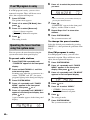
[Auto Calibration] starts.
The system adjusts the speaker settings
automatically.
Be quiet during the measurement.
Note
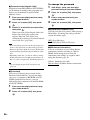
• Before [Auto Calibration], make sure that the
surround amplifier turns on and you install the
surround amplifier in the appropriate location. If
you install the surround amplifier in an improper
location, such as another room, proper
measurement will not be obtained.
• When you use the Wireless Surround Speaker
Kit (WAHT-SBP1, optional) for the surround
back speakers (page 15), install the speakers in
appropriate location and turn the surround
amplifier on.
• Loud test sound is output when [Auto
Calibration] starts. You cannot turn the volume
down. Give consideration to children and
neighbors.
69GB