1
Hardware Setup
Power Supply
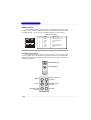
The mainboard supports ATX power supply for the power system. Before
inserting the power supply connector, always make sure that all components are
installed properly to ensure that no damage will be caused.
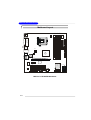
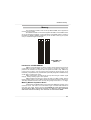
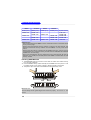
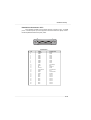
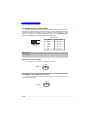
ATX 24-Pin Power Connector: ATX1
This connector allows you to connect an ATX 24-pin power supply. To
connect the ATX 24-pin power supply, make sure the plug of the power supply is
inserted in the proper orientation and the pins are aligned. Then push down the
power supply firmly into the connector.
12
Pin Definition
24
PIN
SIGNAL
PIN
SIGNAL
1
+3.3V
13
+3.3V
2
3
+3.3V
GND
14
15
-12V
GND
4
5
+5V
GND
16
17
PS-ON#
GND
6
7
+5V
GND
18
19
GND
GND
8
9
PWR OK
5VSB
20
21
Res
+5V
10
+12V
22
+5V
11
+12V
12
NC
23
24
+5V
GND
ATX1
1
13
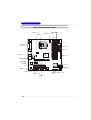
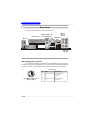
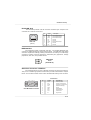
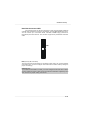
ATX 12V Power Connector: JPW1
This 12V power connector is used to provide power to the CPU.
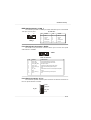
JPW1 Pin Definition
1
3
JPW1
2
4
PIN
SIGNAL
1
GND
2
3
GND
12V
4
12V
Reminds You...
1. These two connectors connect to the ATX power supply and have to work together
to ensure stable operation of the mainboard.
2. Power supply of 400 watts (and above) is highly recommended for system stability.
3. ATX 12V power connection should be greater than 18A.
2-9