1
Manual Overview
Chapter 1, Description provides an overview of the ST-133 or ST-133A
Controller and Camera.
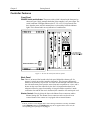
Chapter 2, Getting Started discusses introductory topics such as unpacking,
equipment inventory, grounding and power requirements. It also includes
detailed descriptions of the controller and camera features, together with
information on mounting the camera and lens.
Chapter 3, First Light provides a step-by-step procedure for placing the system in
operation the first time.
Chapter 4, Temperature Control discusses how to establish and maintain
temperature control. Also provides information on the effects of long-term
vacuum degradation on cooling capability and temperature control.
Chapter 5, Timing Modes discusses the basic Controller timing modes and
related topics, including Synchronous vs. Asynchronous, Free Run, External
Sync, Continuous Cleans and Frame Transfer.
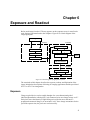
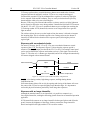
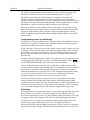
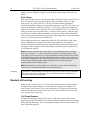
Chapter 6, Exposure and Readout discusses Exposure and Readout, together
with many peripheral topics, including shuttered and unshuttered exposure,
saturation, dark charge, binning and frame-transfer readout.
Appendix A, Specifications includes complete controller and camera
specifications.
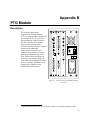
Appendix B, PTG Module contains a description of the Programmable Timing
Generator™ (PTG) together with the PTG specifications and operating
instructions.
Appendix C, TTL Control discusses the purpose and operation of the TTL In/Out
function.
Appendix D, Cleaning Instructions discusses how to clean the system
Controller, Camera and optics.
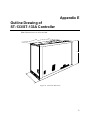
Appendix E, Outline Drawing contains outline drawings of the Controller and
Camera.
Appendix F, Plug-In Modules provides a brief overview of the plug-in modules,
including directions for their installation and removal.
Appendix G, Interline CCD Cameras describes operating considerations for
cameras having an Interline CCD.
Appendix H, MicroMAX DIF Camera describes DIF (Dual Image Feature)
camera and its operation.
Appendix I, Installing the Computer Interface provides detailed directions for
mounting the High Speed Serial card in the computer and connecting it with the
Controller.
7