1
3300 ICP Technician’s Handbook
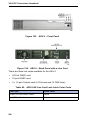
MXe II (Single Hard Disk or Solid State Drive)
The MXe II ships from the factory without a storage media. Use the
following procedure to install or replace one of the following:
• 80 GB PATA hard drive
• 32 GB PATA solid state drive (SSD)
The flash drive includes MCD software and installs exactly the same way
as a single hard drive
Note: To install two hard drives for RAID functionality, see “MXe II/MXe
Server (Two Hard Drives)” on page 210. RAID is not available for solid
state drives.
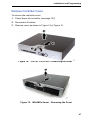
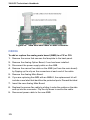
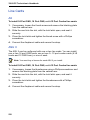
To replace the single hard drive or SSD in an MXe II controller:
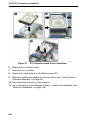
1. For first-time installation skip to Step 2. To replace the drive,
-
If possible, back up your database (or locate the most recent
backup).
-
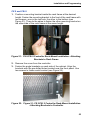
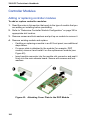
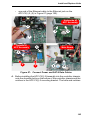
loosen the captive screw and slide the defective hard (HD1) drive
from the drive carrier.
-
remove the four screws that secure the drive to the carrier.
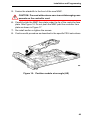
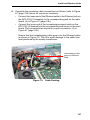
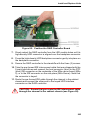
2. Slide the (replacement) hard drive or SSD into the drive carrier and
secure with the four screws. For first-time installation, use the screws
supplied with the drive.
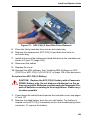
3. Push to seat the hard drive or SSD into the backplane.
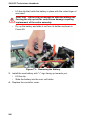
4. Tighten the captive screw.
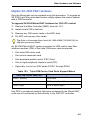
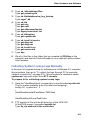
5. Manually install the software on the hard drive or SSD (see “Install
System Software Manually” on page 84).
6. Reconnect the controller to the network.
7. If you backed up your database in Step 1, restore the database (see
“Restore a Database” on page 130).
MXe II/MXe Server (Two Hard Drives)
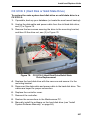
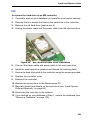
The MX II and MXe Server can be equipped with two hard drives in a RAID
(Redundant Array of Independent Disks) configuration.
If both drives are defective, or if the system is still under warranty, replace
both drives.
210