1
4-, 8-, AND 16-PORT SERVSWITCH EC SERIES IP KVM SWITCH
4.2.5 KEYBOARD MAPPING
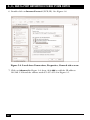
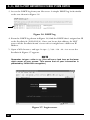
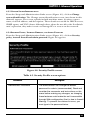
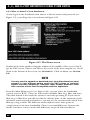
From the Setup and Administration Links screen (Figure 4-3), click on Keyboard
mapping. The screen shown in Figure 4-9 appears.
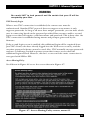
Figure 4-9. Keyboard Mapping screen.
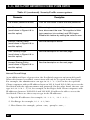
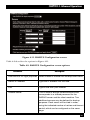
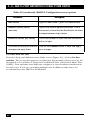
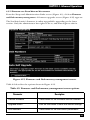
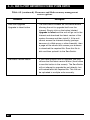
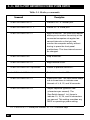
The options shown in Figure 4-9 are described in Table 4-6.
Table 4-6. Keyboard Mapping screen options.
Parameter
Keyboard mapping
Description
In many parts of the world, the keyboard has
extra keys and/or a different layout to better suit
the local language than the default US/English.
If your host O/S is expecting a keyboard of a
special type, select it from the Select Keyboard
Layout drop-down menu. If the wrong value is
used here, special language keys will not work,
and some basic symbols (such as “) may not
even work correctly. The key layout of the
remote keyboard must match the key layout of
the local keyboard defined here.
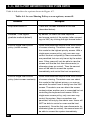
4.2.6 PORT NUMBERS TO BE USED FOR DIFFERENT SERVICES
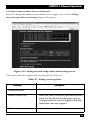
From the Setup and Administration Links screen (Figure 4-3), click on Port
numbers to be used for different services. The screen that appears (not shown in
this manual) displays all network servers running on this machine. For the security
reasons, some services may be disabled or moved to non-standard ports.
38