1
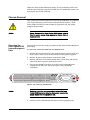
Caution
The Acme Packet 6100 does not support mixing AC and DC
power supplies in the same chassis. A mixed power
configuration is prohibited.
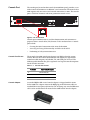
Your equipment rack location must have a local earth ground. This ground can
be either an unpainted spot on the grounded equipment rack frame, or a
grounded bus bar in the equipment room.
Grounding Cable
Installation
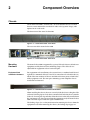
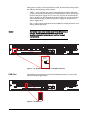
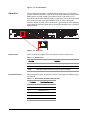
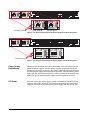
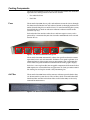
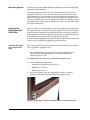
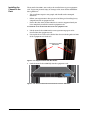
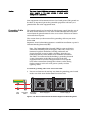
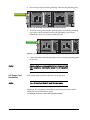
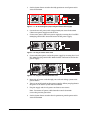
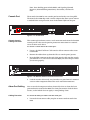
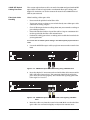
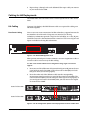
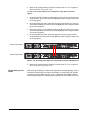
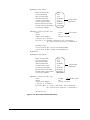
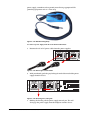
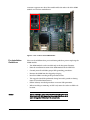
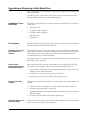
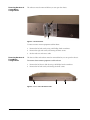
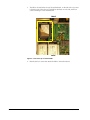
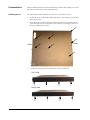
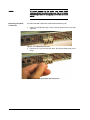
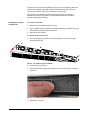
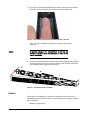
The ground terminals are located to the left of power supply B on the rear of
the Acme Packet 6100 chassis. The Acme Packet 6100 ships with 2 kep nuts
screwed onto the ground terminals. You use an 11/32” nut driver to remove
and install these kep nuts.
This section shows you how to install the grounding cable on your Acme
Packet 6100.
Important: Acme Packet 6100 equipment is suitable for installation as part of a
Common Bonding Network (CBN).
Note: The Common Bonding Network (CBN) is a term used for the
connection of building steel, water pipes, cable racks, vertical and
horizontal equalizer conductors, bonding conductors and
electrical metallic raceways within a building, when they are
bonded together by either deliberate or incidental connections.
The CBN is also connected to the building’s grounding electrode
system. Connections to the CBN are usually made from
equipment frames to reduce voltage differences to acceptable
levels when current flows through these frames, either during
fault occurrences in the AC or DC power systems, or when
lightning strikes.
To install the grounding cable on the Acme Packet 6100:
1.
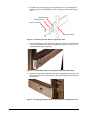
Kep
Nuts
Grounding
Cable
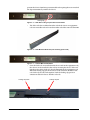
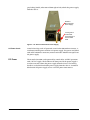
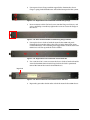
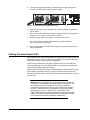
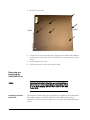
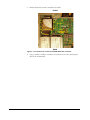
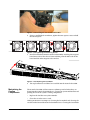
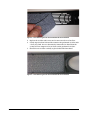
Unscrew and remove the two kep nuts from the grounding posts located
on the rear of the Acme Packet 6100. Place them aside.
Grounding
Terminals
Power Supply B
Power Supply A
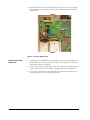
Figure 4 - 68. Acme Packet 6100 Dual AC Power Supplies and Grounding Posts
Acme Packet 6100 Hardware Installation and Maintenance Guide
47