1
Self-Test
Error Codes
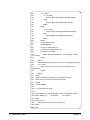
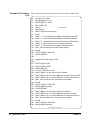
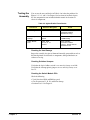
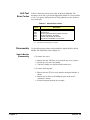
Table 4-4 shows the self-test error codes for the Switch Module. The
meaning of each code is given in the right-hand column. If a self-test failure
occurs, cycle power and repeat the test. If the problem reoccurs, the device
may need repair.
Table 4-4. Self-test Error Codes
Error*
+0
+ss01
+ss02
+ss03
+ss10
+ss11
Description
Self-test passes
Firmware error
Bus error (communications problem with card)
Bad ID information in ID register
Interrupt expected but not received
Busy bit was not held ≈10.5 to 18.5 msec
*ss = card number (with leading zero deleted)
Disassembly
Switch Module
Disassembly
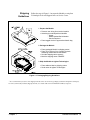
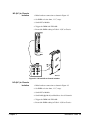
Use the following procedures to disassemble the Agilent E1463A Switch
Module. For disassembly refer to Figure 4-1.
1. To remove the covers:
• Remove the nine T10 Torx screws from the top cover as shown.
• Lift the top cover off of the module.
• Turn the assembly over and lift off the bottom cover.
2. To remove the front panel:
• Remove the two T8 Torx screws from the front panel handles as
shown.
• Remove the T8 Torx screw holding the panel to the A1 PC
Assembly as shown.
• Lift the front panel from the A1 assembly.
Chapter 4
Service 49