1
Table of contents
1 Printer Overview
Components.......................................................................................................................................................................1
Control panel.....................................................................................................................................................................2
Configuring printer settings .......................................................................................................................................... 3
Setting your printer as the default printer .................................................................................................................4
2 Networking Your Printer
Connecting to a wireless network ...............................................................................................................................5
Before you connect ...................................................................................................................................................5
Connecting to a wireless network using the WiFi Setup Wizard..................................................................5
Using the LCD keyboard ..........................................................................................................................................8
Setting up an IP address...........................................................................................................................................8
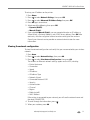
Viewing the network configuration.......................................................................................................................9
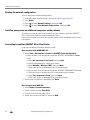
Printing the network configuration .....................................................................................................................10
Installing your printer on additional computers on the network.................................................................10
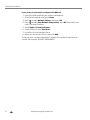
Connecting to another ADVENT All-in-One Printer......................................................................................10
Adding a wireless network connection to a USB-connected computer........................................................... 11
Changing from USB to a wireless connection ................................................................................................... 11
3 Handling Paper
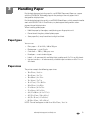
Paper types...................................................................................................................................................................... 13
Paper sizes....................................................................................................................................................................... 13
Envelope sizes................................................................................................................................................................. 14
Loading paper ................................................................................................................................................................. 14
Loading plain paper................................................................................................................................................. 15
Loading photo paper .............................................................................................................................................. 16
Loading envelopes................................................................................................................................................... 17
4 Printing
Printing documents ....................................................................................................................................................... 18
Printing two-sided documents............................................................................................................................. 18
Printing pictures ............................................................................................................................................................. 19
Printing from a memory card................................................................................................................................ 19
Using default settings to print a picture ........................................................................................................... 20
Changing the settings and printing pictures..................................................................................................... 21
Printing tagged pictures.........................................................................................................................................23
Transferring pictures to a computer........................................................................................................................ 24
adventprintersupport.custhelp.com
i