1
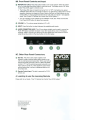
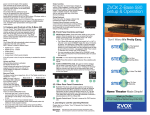
38. Front Panel Controls and Input.
MUTE/Power button. Press this button briefly to turn on the system. When the system
is on, you can press the button briefly to mute the sound . The display shows -00- when
muted. Press briefly again to restore sound.
• The Z-Base 555 does not need to be turned "on" or "off". It will enter a low-power
STANDBY state after about 5 minutes of silence. You restore the Z-Base 555 to normal
operation whenever you press the Power, Volume Up/ Down or Mute buttons on your
remote (after you have programmed the 555 to work with your remote - see separate
sheet "Your Current TV Remote Can Control Your ZVOX System.")
• You can manually put the Z-Base 555 in STANDBY mode, also. Press and hold the
Front Panel MUTE button for about four seconds.
VOLUME-/+. The volume range indication is 01 to 30.
INPUT. Press this button to select between the available audio inputs.
AUDIO CONNECTING JACK. This 3.5 mm stereo minijack can be used to connect an
iPod®, MP3 player, portable CD player or any other audio device. Use a "miniplug to
miniplug" cable to connect your device to the front panel input, then switch to Input 3
using the remote control or the Input button on the front panel.
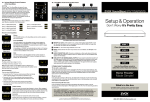
3C. Other Rear Panel Connectors.
Sub Out. This phono jack output supplies a fullfrequency range monaural analog audio signal for use
with an external powered subwoofer. When used with an
external powered subwoofer, set the Z-Base 555 BASS
control to "0". Set the external powered subwoofer Low
Pass control to 55-60 Hz. Then adjust the output of the
external subwoofer to achieve a pleasing balance with
the Z-Base 555.
Remote Control Input. This jack is reserved for ZVOX
service use.
4. Learning to use the Learning Remote
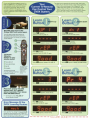
Please refer to our Guide, "Your TV Remote Can Control Your ZVOX System. "
Manufactured und er license
from Dolby Laboratories .
Dolby and the Double-D
symbol are trademarks of
Dolby Laboratories .
[I] DOLBY
DIGITAL
I