1
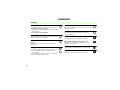
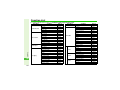
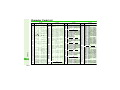
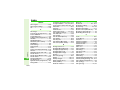
Cookies ..............................15-21, 15-22
Copy (text).......................................3-13
Copy Text (Internet)......................15-19
Cost Units .......................................2-15
Countdown Timer.........................12-25
Country Codes ...............................9-29
Create QR Code............................12-22
Crop .................................................7-11
Cursor..............................................15-6
Custom Screens ...............................9-9
Cut (images)....................................8-12
Cut (text)..........................................3-13
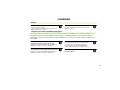
D
Data Folder........................................8-2
Date Format ....................................9-18
Datum On/Off ................................10-16
Daylight Saving ...................9-18, 12-14
Default Image (Video Call) ...............5-6
Default View (Calendar) .................12-2
Delete (Server Mail)......................14-22
Delete NG (Messaging) ................14-16
Delete Posterior..............................3-14
Delivery Report...... 14-15, 14-19, 14-35
Desktop Holder...............................1-18
Details (Data Folder) ........................8-6
Details (Internet) ...........................15-20
Details (Media Player) ......................7-7
Details (Messaging) .. 14-18, 14-22, 14-30
Details (S! Applications) ................16-5
Device Name ...................................10-9
Dial New Number (Conference Call) ... 13-6
Dial Number (Display)...................... 9-5
Dialled Numbers......................2-4, 2-13
Digital Zoom ..................................... 6-4
Disable DTMF ................................. 2-12
Display Call Cost............................ 9-30
Display Date & Time
(External Display)........................... 9-13
Display Indicators (Photo Camera)..... 6-15
Display indicators ............................ 1-9
Display Position ............................. 7-13
Display Saving................................ 9-13
Display Settings ............................... 9-3
Display Size (streaming).............. 15-13
Display Size (Video Camera)......... 6-16
Display Size (Video Player) ........... 7-10
Document Viewer ......................... 12-18
Download to.................................. 15-21
Downloads .................................... 15-20
DPOF ............................................... 11-7
Drafts (Messaging)....................... 14-18
Duration (Calendar)........................ 12-5
Duration (External Display) ........... 9-13
Duration (subtitles) ........................ 7-13
Duration (Tasks) ............................. 12-9
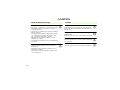
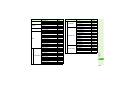
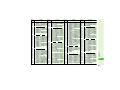
E
Earpiece Volume.............2-11, 5-4, 9-17
E-Book............................................. 18-5
Edit Category................................ 12-26
Emoticons......................................... 3-9
Appendix
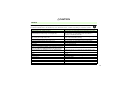
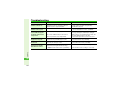
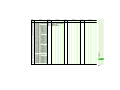
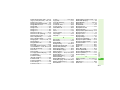
Camera Picture (Video Call) .... 5-4, 5-6
Category Control (Phone Book) ... 4-11, 4-12
Centre Access Code ......................1-27
Change List View (Data Folder) ......8-4
Change NW Password..................13-10
Change PIN .....................................9-25
Change to Bcc ................................14-9
Change to Cc ..................................14-9
Change to To...................................14-9
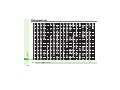
Character Code List .....................20-10
Character Codes (entering) .............3-9
Character entry modes ....................3-2
Char-code (Internet) .....................15-20
Char-code (Messaging)................14-37
Charging time ..... 1-12, 1-17, 1-18, 1-19
Check Settings................................11-8
Chng Handset Code .......................9-28
Circle Talk......................................19-13
Circle Talk (System Sounds) .........9-16
Circle Talk member list.... 19-15, 19-17, 19-18
Clear All (Speed Dial) .....................4-14
Clear Costs .....................................2-15
Clear Counter..................................2-14
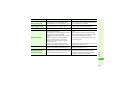
Clock Type (External Display) .......9-13
Clock/Calendar .................................9-5
Conductor Setting
(Face Recognition) .........................9-23
Conference Call ..............................13-6
Connection Setting ........................19-9
Contact Groups ..............................4-12
Continuous Shoot ..........................6-12
20
20-21