1
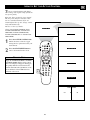
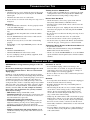
HOW TO USE THE MODE SELECT CONTROL
T
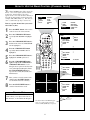
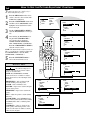
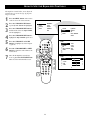
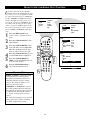
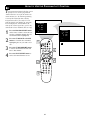
he Mode Select Control will allow you to
use set the TV into the TV, FM, HD, or PC
Modes. Depending on how the TV will be
used, these modes may have their own
onscreen menus controls to optimize there use
when used with computers, radios, or highdefinition receivers.
1
2
3
4
5
6
7
8
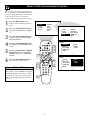
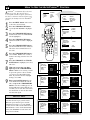
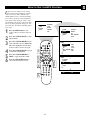
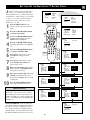
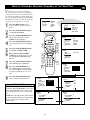
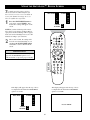
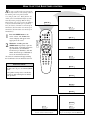
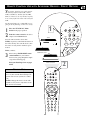
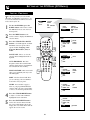
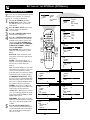
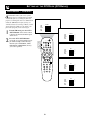
Press the MENU button on the
remote control to show the onscreen
menu.
BRIGHTNESS
COLOR
PICTURE
SHARPNESS
TINT
PICTURE
SOUND
FEATURES
INSTALL
PICTURE
SOUND
FEATURES
INSTALL
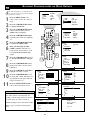
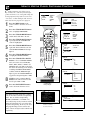
Press the CURSOR DOWN to highlight FEATURES.
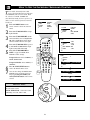
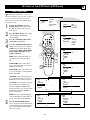
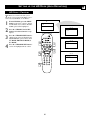
Press the CURSOR RIGHT and the
menu will shift to the left. TIMER will
be highlighted.
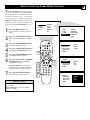
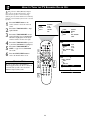
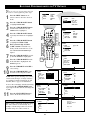
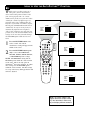
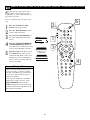
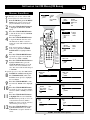
Press the CURSOR DOWN repeatedly until MODE SELECT is highlighted.
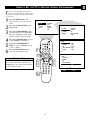
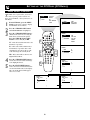
Press the CURSOR RIGHT button
to shift the menu to the left. the first
option, FM RADIO will be highlighted.
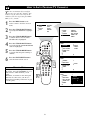
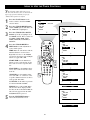
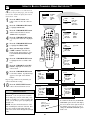
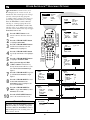
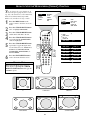
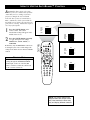
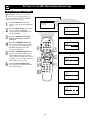
Press the CURSOR UP or DOWN buttons to highlight the desired mode option
(FM RADIO, HD, or PC).
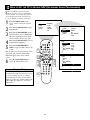
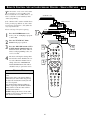
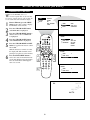
Press the CURSOR RIGHT button
to change the TV to the desired mode.
Please refer to each specific mode later
in this manual.
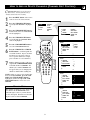
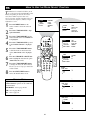
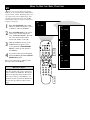
Press the STATUS/EXIT button to
remove the menu from the screen.
TIMER
MODE SELECT
Auto Lock
CLOSED CAP
WIDE SCREEN
FEATURE
TV
PIP
POSITION
PROG. LIST
CLOCK
TV/VCR
SOURCE
TIMER
MODE SELECT
Auto Lock
CLOSED CAP
WIDE SCREEN
CC
DVD
ACC
SLEEP
A/CH
1
FORMAT
6
AUTO
ACTIVE
AUTO
SOUND
CONTROL
PICTURE
TIME
START TIME
STOPE TIME
CHANNEL
ACTIVATE
SURR.
MENU
SOUND
FEATURE
2
4
6
MUTE
VOL
CH
RADIO
PC
HD
TV
1
2
3
4
5
6
7
8
STATUS/EXIT
8
9
SURF
0
3
5
7
TIMER
MODE SELECT
Auto Lock
CLOSED CAP
WIDE SCREEN
FEATURE
MODE SELECT
FM RADIO
HD
PC
HELPFUL HINT
Specific information regarding each of the
MODE SELECT options can be found later
in this manual.
FEATURE
MODE SELECT
FM RADIO
HD
PC
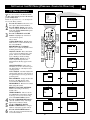
FM RADIO - refer to page 46-49.
HD - refer to page 50-53.
PC - refer to page 54.
FEATURE
MODE SELECT
FM RADIO
HD
PC
22
FM RADIO
HD
PC