1
MY STUFF
OnLINE LOCKER
1. In Idle mode, tap the Menu icon
, Drag toward the right, tap My
Stuff icon then select Online Locker.
Ringtones & Audio
If user adds there own ringtones max size is 300kb.
1. In Idle mode, tap the Menu icon
, Drag toward the right, tap My
Stuff icon then select Ringtones & Audio.
2. Tap Phone or SD Card.
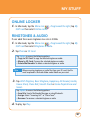
Tap Options to access the following options:
• Copy to SD Card: To copy the selected ringtone or audio.
• Move to SD Card: To move the selected ringtone or audio.
• Delete Multimedia: To delete a selected ringtone or audio.
Note
When accessing ringtones or audio files from your SD card, the file
must be placed in the Audio folder under Media on your card.
3. Tap AT&T Ringtone, Basic Ringtone, Happiness, All Around, Giselle,
House Shock, Piano Roll, Smooth Touch or Some People Know and
Sweet.
Tap Options to access the following options:
• Send Via: Send a Multimedia Message or using Bluetooth.
• Assign: Select “Incoming Call“ or “Alarm Tone“.
• Rename: To rename a selected ringtone or audio.
4. To play, tap Play.
97