1
MESSAGING
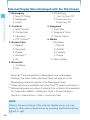
Accessing the Messaging submenu
1. From idle mode with the flip open, press the Center Select Key
[MENU], select Messaging, then press the Center Select Key
[OK].
2. Select a submenu.
New Message/Messages/Drafts/Voicemail/Visual Voice Mail/
Mobile IM/Email/Chat
NOTES
[Message] functions as a hot key to access the Messaging
submenu.
• When in idle mode with the flip closed and the keypad unlocked,
MESSAGING
• When in idle mode with the flip open, pressing the Left Soft Key
pressing the Directional Key / down functions as a hot key to
access the Messaging submenu.
• You can make a call to the callback number by pressing the Send
Key during a message check.
• When By Time is selected for Messages View in Message
Settings, the Inbox folder and the Sent folder will appear in the
Messaging submenu instead of the Messages folder.
By Contacts is the default setting. If By Time is selected,
navigating the phone’s Messaging menu will be different.
New Message Alert
There are two ways your handset alerts you to new messages:
1. The handset displays a message on the screen.
2. The message icon ( ) appears on the idle screen. In the case of
an urgent message, the icon will flash.
101