1
Color profile: Disabled
Composite Default screen
Programming Channels
Before you can scan, you must program the channels
within a bank. You can store one frequency per channel, up
to 100 channels.
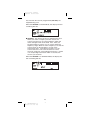
Note: If
appears on the display (keypad Locked),
unlock the keypad by pressing and holding
until
disappears.
There are two ways to program a channel:
n Manually select a channel and frequency, using the
numeric keypad.
n Search a band to find an active frequency, and then
directly store it into a channel.
A. Programming By Manual Entry
1. Select a frequency from the appropriate
Frequency Directory.
Example: Program 125.2500 MHz into Channel 18.
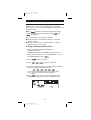
2. Make sure the scanner is in the SCAN Mode. If it is in
the SEARCH Mode, press
3. Press
.
to stop scanning.
4. Press
to go to Channel 18.
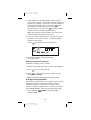
5. Enter the frequency number using the numeric keypad.
(Be sure to include the decimal point.)
.
If you make a mistake and want to clear the entry,
press
twice and re-enter the frequency.
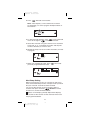
6. Press
to store the entry. The frequency on the
display will blink twice to confirm the programming.
14
18
Y:...UB302BH(AE180H).vp
Tue Jul 08 16:24:09 2003