1
Operation with systems of the
evolution wireless G2 series
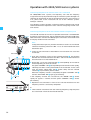
When using devices of the evolution wireless G2 series (see table on page 7),
there are two operating modes:
1. “Stand Alone” operating mode (without a PC):
y one NET 1 with up to 10 connected devices
y two daisy-chained NET 1 with up to 20 connected devices
2. “Remote” operating mode (with a PC):
y up to five daisy-chained NET 1 connected to a PC with up to 50
connected devices
Note:
In “Remote“ operating mode, the frequency scan can only be performed
using the “Wireless Systems Manager” software (see the instructions for
use of the “Wireless Systems Manager” software).
The rack-mount receivers and transmitters (IEM) may well have different
frequency ranges.
Performing a frequency scan in “Stand Alone”
operating mode
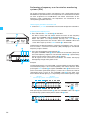
With the frequency scan, the NET 1 searches for free frequencies for multichannel operation (see the instructions for use of the evolution wireless G2
devices).
There are the following possibilities:
Devices connected to the NET 1 The frequency scan is performed
Rack-mount receivers only
y using a rack-mount receiver as
described from page 21
SR 300 IEM G2 rack-mount
transmitters only
y using an EK 300 IEM G2 portable
Rack-mount receivers and
SR 300 IEM G2 transmitters
y first using an EK 300 IEM G2 portable
receiver as described from page 18
receiver as described from page 18 and
y then using a rack-mount receiver as
described from page 21
17