1
Set Up Menus
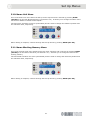
5.10. Name Unit Menu
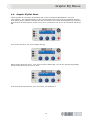
This is the tenth-level menu within the Set Up menu sequence and is entered by pressing HOME
(SET UP) from the LED Brightness Menu (see Section 5.9). It allows you to change the name of the
unit from its default of “Klark Teknik Rapide”’.
Left and centre encoders are active (illuminated) and are used to change the character position and
the character itself, respectively.
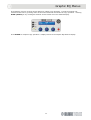
When naming is complete, continue through the Set Up Menus by pressing HOME (SET UP).
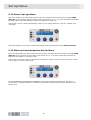
5.11. Name Working Memory Menu
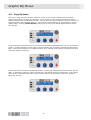
This is the eleventh-level menu within the Set Up menu sequence and is entered by pressing HOME
(SET UP) from the Name Unit Menu (see Section 5.10). It allows you to change the name of the
working memory.
Left and middle encoders are active (illuminated) and are used to change the character position and
the character itself, respectively.
When naming is complete, continue through the Set Up Menus by pressing HOME (SET UP).
27