1
<P=003>
PRECAUTIONS
■ General
■ Battery use
● Do not use oil, solvents, gasoline, paint thinners
or insecticides on the unit.
● Do not expose the unit to moisture, to temperatures higher than 140˚F (60˚C) or to extreme low
temperatures.
● Keep the unit away from direct sunlight, strong
magnetic fields, excessive dust, humidity and
electronic/electrical equipment (home computers, facsimiles, etc.) which generates electrical noise.
● Hold the AC power plug by the head when
removing it from the AC outlet, as pulling the cord
can damage internal wires.
● When cleaning the heads, pinch roller, etc,
remove the AC power plug from the AC outlet as
the unit contains high voltages.
Do not remove the outer cover, as this may result
in electric shock. Refer internal service to your
local SHARP service facility.
● Use the unit on a firm, level surface free from
vibration, and do not place anything on the top
of the unit.
● If the unit does not work properly while in use,
set the POWER switch to OFF and then to ON
again.
● If an electrical storm is taking place near you, it
is suggested that you disconnect the AC power
cord from the AC outlet for safety.
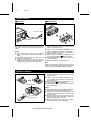
● Replace all old batteries with new ones at the
same time.
● Do not mix old and new batteries.
● Remove the batteries if they are weak or if the
unit will not be used for long periods of time. This
will prevent potential damage due to battery
leakage.
● Batteries are not included.
Caution:
● Do not use rechargeable batteries (nickel-cadmium battery, etc.).
■ Care of compact discs
Compact discs are fairly resistant to damage, however mistracking can occur due to an accumulation
of dirt on the disc surface.
Follow the guidelines below for maximum enjoyment
from your CD collection and player.
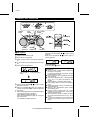
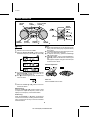
● Do not write on either side of the disc, particularly
the non-label side. Signals are read from the
non-label side. Do not mark this surface.
● Keep your discs away from direct sunlight, heat,
and excessive moisture.
● Always hold the CDs by the edges. Fingerprints,
dirt, or water on the CDs can cause noise or
mistracking. If a CD is dirty or does not play
properly, clean it with a soft, dry cloth, wiping
straight out from the center, along the radius.
Warning:
The voltage used must be the same as that specified
on this unit. Using this product with a higher voltage
other than which is specified is dangerous and may
result in a fire or other type of accident causing
damage. SHARP will not be held responsible for any
damage resulting from use of this unit with a voltage
other than that which is specified.
■ Cassette tape
● For playback, use normal or low-noise tape for
the best sound. (Metal or CrO2 tape is not recommended.)
For recording, use only normal tape.
● Do not use C-120 tapes, tapes with large
diameter reels, or poor-quality tapes, as they
may cause malfunctions.
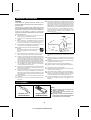
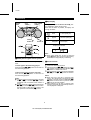
● Before loading a tape into the cassette compartment, tighten the slack with a pen or pencil.
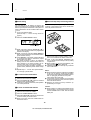
● Cassettes have removable tabs which prevent
accidental recording or erasing from taking
place. Removing the tab will protect the corresponding side from being erased. Cover the
tab holes with adhesive tape to erase or record
again.
■ Condensation
Sudden temperature changes, storage or operation
in an extremely humid environment may cause condensation inside the cabinet (CD pickup, tape
heads, etc.) or on the transmitter LED on the remote
control.
Condensation can cause the unit to malfunction.
If this happens, leave the power on with no disc (or
cassette) in the unit until normal playback is possible
(about 1 hour). Wipe off any condensation on the
transmitter LED with a soft cloth before operating the
unit.
Side A (1)
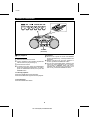
Warning:
CD players use a laser pickup which can damage
the eyes if viewed directly. Do not look at the pickup,
and do not touch the pickup directly.
Tab for side B (2)
3
QT-CD250(SEC) TINSE0040SJZZ
Tab for side A (1)