1
Table of Contents
Chapter 1 – Introduction
Bluetooth Technology Overview .......................................................................................................1-1
hp bt1300 Overview...........................................................................................................................1-2
What’s Included in the Box ...............................................................................................................1-3
Windows System Requirements ........................................................................................................1-3
PDA System Requirements................................................................................................................1-3
About This User’s Guide ...................................................................................................................1-3
Chapter 2 – Hardware Installation Procedures
Before You Begin ..............................................................................................................................2-1
Handling Precautions .........................................................................................................................2-1
Printer Adapter Components..............................................................................................................2-2
Installing the Hardware onto the USB or Parallel Port ......................................................................2-3
Verifying Successful Installation .......................................................................................................2-4
Verifying the Connection to the Printer .............................................................................................2-4
Chapter 3 – Printing to a Printer Using Bluetooth Technology
Profile Compatibility..........................................................................................................................3-1
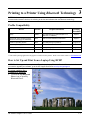
How to Set Up and Print from a Laptop Using HCRP ......................................................................3-1
Printing the First Job ..........................................................................................................................3-5
Printing Additional Jobs.....................................................................................................................3-7
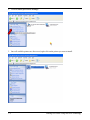
How to Set Up and Print from a Laptop Using SPP ..........................................................................3-7
Connect to Your Printer ..............................................................................................................3-7
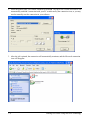
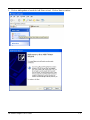
Setting Up Your Printer ..............................................................................................................3-8
Printing Your Files....................................................................................................................3-14
How to Set Up and Print From a Pocket PC ....................................................................................3-15
Using the hp bt1300 with Mobile Phones ........................................................................................3-20
Launching the Application........................................................................................................3-21
Selecting a Content Type to Print .............................................................................................3-21
Printing an Image ......................................................................................................................3-22
Printing a Message ....................................................................................................................3-23
Printing E-mail with Attachments.............................................................................................3-24
Printing MMS Messages with Unsupported Attachments ........................................................3-25
Printing Contacts.......................................................................................................................3-25
Printing a Calendar Entry..........................................................................................................3-26
Printing a Note ..........................................................................................................................3-27
Chapter 4 – Configuring Your Printer Adapter
Summary of Configuration Steps.......................................................................................................4-1
Installing the hp bt1300 Configuration Utility............................................................................4-1
Placing the hp bt1300 into Configuration Mode or Firmware Upgrade Mode ...........................4-2
Connect to the hp bt1300 Using SPP ..........................................................................................4-2
Using the hp bt1300 Configuration Utility ........................................................................................4-3
HP Printer Adapter User’s Guide
i