1
WM Access Domain Services Configuration
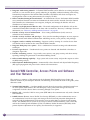
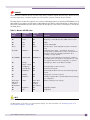
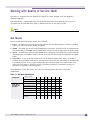
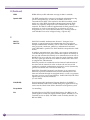
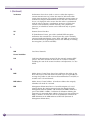
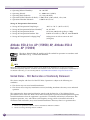
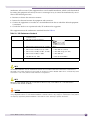
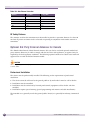
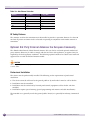
The APs are capable of supporting 5 queues. The queues are implemented per radio. For example, 5
queues per radio. The queues are:
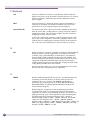
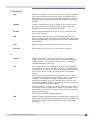
Table 15: Queues
Queue Name
Purpose
AC_VO
Voice
AC_VI
Video
AC_BK
Background
AC_BE
Best Effort
AC_TVO
Turbo Voice
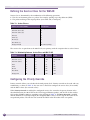
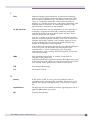
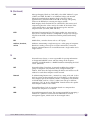
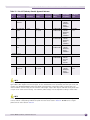
The Summit WM Controller supports the definition of 8 levels of user priority (UP). These priority
levels are mapped at the AP to the best appropriate access class. Of the 8 levels of user priority, 6 are
considered low priority levels and 2 are considered high priority levels.
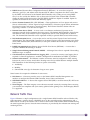
WMM clients have the same 5 AC queues. WMM clients will classify the traffic and use these queues
when they are associated with a WMM-enabled AP. WMM clients will behave like non-WMM clients—
map all traffic to the Best Effort (BE) queue—when not associated with WMM-enabled AP.
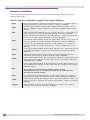
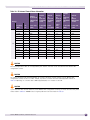
The prioritization of the traffic on the downstream (for example, from wired to wireless) and on the
upstream (for example, from wireless to wired) is dictated by the configuration of the WM-AD and the
QoS tagging within the packets, as set by the wireless devices and the host devices on the wired
network.
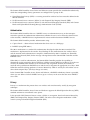
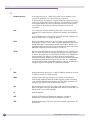
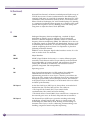
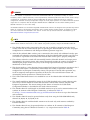
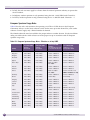
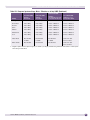
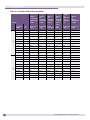
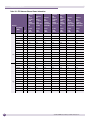
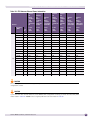
Both Layer 3 tagging (DSCP) and Layer 2 (802.1d) tagging are supported, and the mapping is
conformant with the WMM specification. If both L2 and L3 priority tags are available, then both are
taken into account and the chosen AC is the highest resulting from L2 and L3. If only one of the priority
tags is present, it is used to select the queue. If none is present, the default queue AC_BE is chosen.
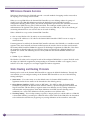
NOTE
If the wireless packets to be transmitted must include the L2 priority (send to a WMM client from a WMM-enabled
AP), the outbound L2 priority is copied from the inbound L2 priority if available, or it is inferred from the L3 priority
using the above table if the L2 inbound priority is missing.
.
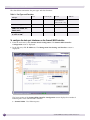
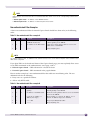
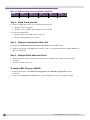
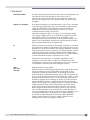
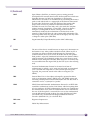
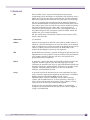
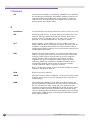
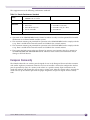
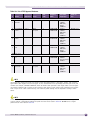
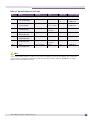
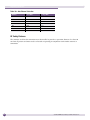
Table 16: Traffic Prioritization
144
WM-AD type
Packet Source
Packet type
L2
L3
Tunneled
Wired
Untagged
No
Yes
Branch
Wired
VLAN tagged
Yes
Yes
Branch
Wired
Untagged
No
Yes
Branch or Tunneled
Wireless
WMM
Yes
Yes
Branch or Tunneled
Wireless
non-WMM
No
Yes
Summit WM20 User Guide, Software Release 4.2