1
HWC_ControllerAvailMobility.fm
HiPath Wireless Controller Configuration: Availability and Mobility
Mobility and the VN Manager
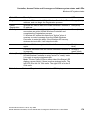
Events and actions during a Failover
If one of the HiPath Wireless Controllers in a pair fails, the connection between the two HiPath
Wireless Controllers is lost. This triggers a "Failover mode" condition, and a critical message
appears in the information log of the remaining HiPath Wireless Controller.
After the Wireless AP on the failed HiPath Wireless Controller loses its connection, it will
attempt a reboot. Because of the pairing of the two HiPath Wireless Controllers, the Wireless
AP will then register with the other HiPath Wireless Controller.
>
A Wireless AP connects first to a HiPath Wireless Controller registered as
"ac_manager" and, if not found, then seeks an "ru_manager". If the primary HiPath
Wireless Controller fails, the secondary one registers as "ru_manager". This enables
the secondary HiPath Wireless Controller to be found by Wireless APs after they
reboot.
When the Wireless APs connect to the second HiPath Wireless Controller, they will be
assigned to the Failover VNS defined in setup in that HiPath Wireless Controller. The wireless
device users will log in again and be authenticated on the second HiPath Wireless Controller.
When the failed HiPath Wireless Controller recovers, each HiPath Wireless Controller in the
pair goes back to normal mode. They exchange information that includes the latest lists of
registered Wireless APs. The administrator will release the Wireless APs on the second HiPath
Wireless Controller, so that they may re-register with their home HiPath Wireless Controller.
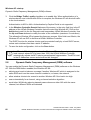
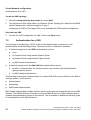
To support the Availability feature during a "Failover" event, administrator will need to perform
the following actions:
1.
Monitor the critical messages for the "Failover mode" message, in the information log of the
remaining HiPath Wireless Controller (in the Reports and Displays area).
2.
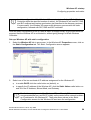
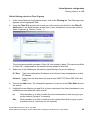
After recovery, on the HiPath Wireless Controller that did not fail, select the "foreign"
Wireless APs and click on the Release button (in the Wireless AP Configuration - AP
Maintenance screen).
8.2
Mobility and the VN Manager
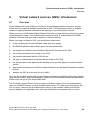
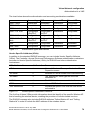
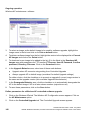
The Controller, Access Points and Convergence Software system has a technique by which
multiple HiPath Wireless Controllers on a network can discover each other and exchange
information about a client session. This enables a wireless device user to roam seamlessly
between different Wireless APs on different HiPath Wireless Controllers.
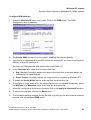
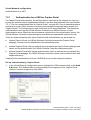
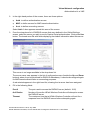
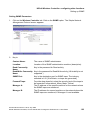
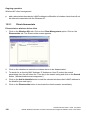
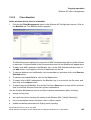
The solution introduces the concept of a "VN Manager". This means that one HiPath Wireless
Controller on the network must be designated as the "VN Manager". All other HiPath Wireless
Controllers are designated as "VN Agents". To define whether the HiPath Wireless Controller
is a Manager or an Agent, use the VN Manager screen in the HiPath Wireless Controller
Configuration area.
A31003-W1010-A100-1-7619, July 2005
HiPath Wireless Controller, Access Points and Convergence Software V3.0: User Guide
113