1
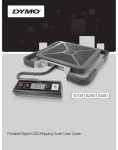
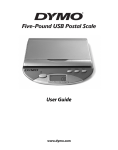
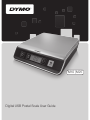
DYMO® Digital USB Postal Scale
This User Guide provides instructions for
using your DYMO® Digital USB Postal Scale.
Visit www.dymo.com/register to register
your scale.
USB port
Power
Setting Up the Scale
The scale is powered through a USB port on
your computer. When not connected to your
computer, the scale can be powered by three
AAA batteries.
To set up the scale
1. Unpack the scale.
2. Set the scale on a firm, flat surface.
3. Plug the USB cable into the USB port on
the back of the scale.
4. Plug the USB cable into an available USB
port on your computer.
The scale is automatically recognized by
your computer when the power is turned on.
Zero/
Tare
LCD
display
LED
Hold
Kg/Lb
! When connecting the scale through a
USB hub, always use a powered hub.
Inserting the Batteries
When not connected to your computer, the scale can be powered by
three AAA alkaline batteries. The scale automatically turns off after
three minutes of inactivity.
To insert the battery
1. Disconnect the USB cable from the computer or USB hub.
2. Turn the scale over.
3. Remove the battery compartment cover.
4. Insert three AAA batteries as shown.
AA
A
AAAA
AA
AAAA
AA
! Make sure to insert the batteries correctly. Inserting the
batteries backwards can damage the scale.
5. Replace battery compartment cover.
!
Remove the batteries if the scale will not be used for a long period of time.
1