1
Basic Disk Mode
Storing Objects in the Memory Banks
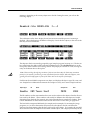
Relink-by-Name Processing Time
Normally, the time taken to relink several dependent objects using the name search will be
insignificant, relative to the time it takes to load the data from the file. However, if you are
attempting to relink a very large amount of dependents by loading one file (say, 200 samples or
so), there may be a noticeable wait while the K2661 searches its object database for the
dependents. If this happens, it’s best to be patient.
Storing Objects in the Memory Banks
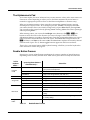
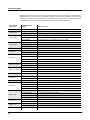
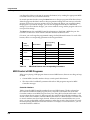
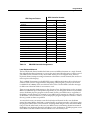
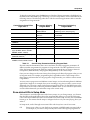
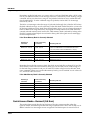
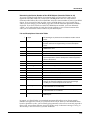
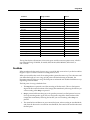
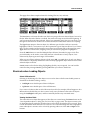
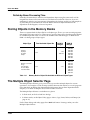
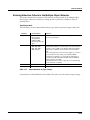
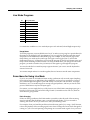
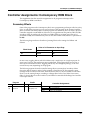
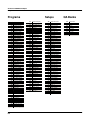
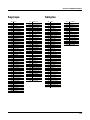
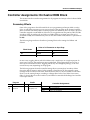
There is a separate bank of Object IDs for each object type. That is, you can store 999 programs,
999 samples, 255 songs, and so on. There are two groups of object types, based upon the number
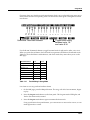
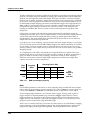
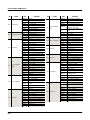
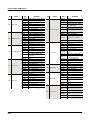
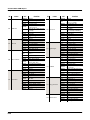
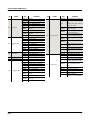
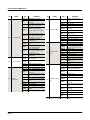
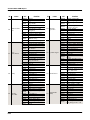
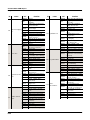
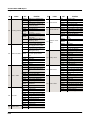
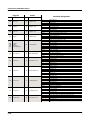
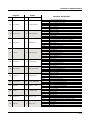
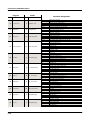
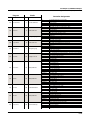
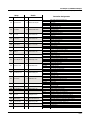
of available Object IDs. Table 13-1 shows the number of IDs and ID ranges—in ROM and in
RAM—for both groups of object types.
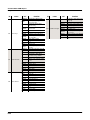
Object Type
Samples
Keymaps
Programs
Setups
999
Quick Access Banks
Songs
Velocity Maps
Pressure Maps
Intonation Tables
Table 13-1
Total Available Object IDs
255
ROM ID
Ranges
RAM ID
Ranges
1–99
100–199
200–299
300–399
400–499
500–599
600–699
700–799
800–899
900–999
1–75
100–119
200–219
300–319
400–419
500–519
600–619
700–719
800–819
900–919
Memory Banks: Object IDs Available for Different Object Types
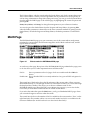
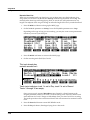
The Multiple Object Selector Page
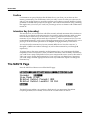
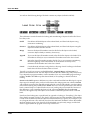
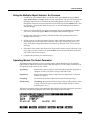
The Multiple Object Selector gives you several ways to select multiple objects for various
operations—for example, to load all setups with IDs between 250 and 299, to save all programs
in the 400s bank, including their dependent RAM keymaps (but not their dependent RAM
samples), or to delete all samples whose name includes “Gazonk.”
The Multiple Object Selector is available in two places:
•
In Disk mode, in the Load and Save dialogs
•
In Master mode, on the Object Utility pages—Move, Copy, Name, Delete, and Dump (see
page 11-15)
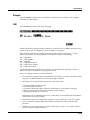
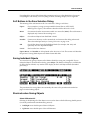
Each of these dialogs and utility pages has a Multi soft button. Pressing it takes you to the
Multiple Object Selector.
13-34