1
Table of Contents
Index
Table of Contents
• Package Contents.......................................... ii
• Copyright/Trademarks .................................. ii
1 - Getting Started
Welcome .......................................................1
• Learning More.................................................1
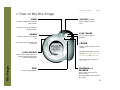
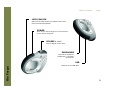
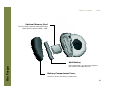
Tour of the Rio Forge............................2
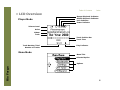
LCD Overview ............................................5
• Player Mode ....................................................5
• Menu Mode .....................................................5
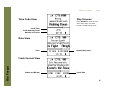
• Date View........................................................6
• Time Code View ..............................................6
• Track Format View .........................................6
• Play Screens ...................................................6
• FM Radio: Store Preset ..................................7
• FM Radio: Manual ...........................................7
• FM Radio: Preset ............................................7
2 - Connections
Rio Forge
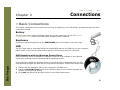
Basic Connections...................................8
• Battery ............................................................8
• Earphones .......................................................8
• USB .................................................................8
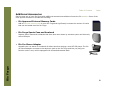
• Additional Accessories ...................................9
3 - Software Setup
Windows .....................................................11
• Rio Music Manager .......................................12
Mac.................................................................13
• iTunes............................................................13
4 - Basic Operations
Basic Operations....................................14
Copy Tracks ..............................................15
• Copying Tracks with Rio Music Manager ....15
Transfer Tracks ......................................16
• Rio Music Manager .......................................16
• Transferring Tracks using Windows Explorer17
• iTunes............................................................18
Control the Player.................................19
Play Music..................................................20
Play Music..................................................21
• Play All ..........................................................22
• Album ............................................................22
• Artist .............................................................22
• Genre ............................................................23
• Track .............................................................23
• Year ...............................................................23
• New Music .....................................................23
• Playlist ...........................................................24
• Spoken Word ................................................24
• FM Recordings (Rio Forge 256 and 512 Only)24
FM Tuner.....................................................25
• FM Control ....................................................25
• Manual ..........................................................26
• Store Preset ..................................................26
• Preset ............................................................26
5 - Advanced Features
Advanced Features...............................27
iii