1
iv
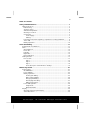
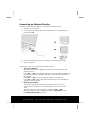
Connecting an External Monitor ...............................................................30
Data Entry .....................................................................................................32
The Keyboard............................................................................................32
Netbook-Specific Key Combinations ....................................................32
Touch Pad .................................................................................................34
The Hard drive...............................................................................................35
Important Directories ................................................................................36
The Sound Card ............................................................................................37
External Audio Ports ..................................................................................37
The Network .................................................................................................38
What is a network?....................................................................................38
Ethernet-Network ................................................................................38
Wireless LAN .............................................................................................39
Troubleshooting within the Network ...................................................40
Bluetooth ..................................................................................................41
The Bluetooth dongle ..........................................................................41
Safety advises ......................................................................................42
Installation of the driver .......................................................................42
Select the storage location for the driver ..............................................43
Connecting (pairing) keyboards and mouse devices .....................................44
The Multimedia Card Reader .........................................................................45
Inserting Memory Cards............................................................................45
Removing Memory Cards..........................................................................45
Webcam........................................................................................................46
Actual example using Windows Messenger...............................................46
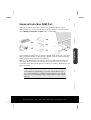
Universal Serial Bus (USB) Port.......................................................................47
Securing the Netbook....................................................................................48
Startup Password ......................................................................................48
Using a safety lock.....................................................................................48
Software........................................................................................................49
Getting to Know Windows XP ...................................................................49
Windows® XP Manual...........................................................................49
Windows® XP Tour ...............................................................................49
Windows® XP Help and Support...........................................................49
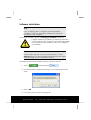
Software Installation .................................................................................50
Uninstall Software................................................................................51
Windows Activation ..................................................................................51
Product activation on your Netbook ....................................................52
The BIOS Set-up-Program..........................................................................52
Running the BIOS Set-up .....................................................................52
BullGuard Internet Security .......................................................................53
First Aid ...............................................................................................55
FAQ – Frequently Asked Questions................................................................57
Data and System Security..............................................................................58
Data Security.............................................................................................58
After Sales Support
TEL: 1 300 884 987
WEB Support: www.medion.com.au