1
3
PRODUCT MARKING AND BARCODE IDENTIFICATION
Table of Contents
e4 series Operator´s manual
copyright © cab Produkttechnik GmbH & Co KG ......................................................................... 2
Table of Contents ......................................................................................................................... 3
FCC Notice .................................................................................................................................. 4
Important Safety Instructions ....................................................................................................... 5
Possible Corrective Action ........................................................................................................... 5
Preface ........................................................................................................................................ 5
Chapter 1 Introduction .................................................................................................................. 6
Printer Specifications .................................................................................................................. 6
Unpacking and Inspection ............................................................................................................ 6
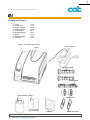
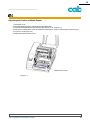
Packing List¨Figure 1: .................................................................................................................. 7
Chapter 2 Getting Started............................................................................................................. 8
Setting up .................................................................................................................................... 8
Connecting the Printer ................................................................................................................. 8
Interface Connection .................................................................................................................... 9
Main Parts and Features ............................................................................................................. 10
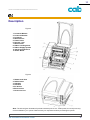
Description ................................................................................................................................. 11
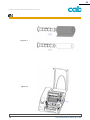
Loading the Ribbon ..................................................................................................................... 12
Loading the Media ...................................................................................................................... 16
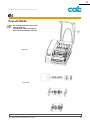
Peel-off Mode: .............................................................................................................................17
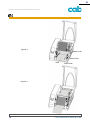
Adjusting the Position of Media Sensor ....................................................................................... 19
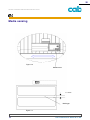
Media sensing ............................................................................................................................ 20
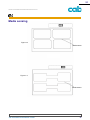
Media sensing ............................................................................................................................ 21
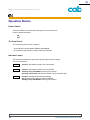
Operation Basics ........................................................................................................................ 22
Power Switch .............................................................................................................................. 22
The Front Panel ..........................................................................................................................22
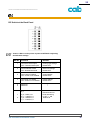
Indicator Lamps ..........................................................................................................................22
Buttons ....................................................................................................................................... 23
System Mode .............................................................................................................................23
Media Sensor Calibration ............................................................................................................ 24
Self Test ..................................................................................................................................... 24
DIP Switch at the Back Panel .....................................................................................................25
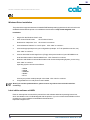
Windows Driver Installation ......................................................................................................... 26
Label edition software eLABEL ................................................................................................... 26
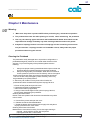
Chapter 3 Maintenance ............................................................................................................... 27
Warning: ..................................................................................................................................... 27
Cleaning the Printhead ................................................................................................................ 27
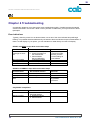
Chapter 4 Troubleshooting .......................................................................................................... 28
Error Indications ..........................................................................................................................28
Appendix A: Interface Specifications ........................................................................................... 30
RS232 Serial ............................................................................................................................... 30
Parallel (Centronics) ....................................................................................................................31
Appendix B: ASCII Table ............................................................................................................ 32
cab Produkttechnik GmbH & Co KG
3