1
REG-LL_EN.book Page 12 Wednesday, September 14, 2011 12:03 PM
Before Starting to Use
Safety Guide - Installation
This section describes the precautions to be observed when installing the machine. Read this section before installing the machine.
Note:
• Your dealer (or authorized service representative) will help you to determine a proper location for the machine at
the time of delivery.
Installation
AWARNING:
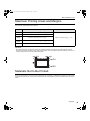
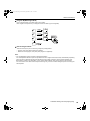
• Place the machine on the dedicated stand for this model or on a flat and stable surface (maximum of 10 mm (3/8
inches) differential allowed). Injury might occur if the machine falls.
• Install the machine in a well-ventilated area. Failure to do so may result in serious health problems.
BCaution:
• Install the machine near the electrical outlet to avoid using an extension cord between the machine and the electrical outlet. If an extension cord is absolutely required, do not use one longer than 5 m (15 feet).
• Allow at least 10 cm (4 inches) or more of clearance behind the machine so that you can unplug the machine in
case of technical difficulties.
• Keep the machine away from dusty environments. Failure to do so may result in fire.
Important!:
• Avoid installing the machine in the locations listed below. Failure to observe this precaution may lead to machine
failure.
– Locations with exposure to direct sunlight, such as locations close to windows (Curtain all windows that might
expose the machine to direct sunlight)
– Locations that are subject to sudden changes in temperature
– Extremely hot and humid locations or cold and dry locations
– Heated locations
– Locations exposed to direct cold air, direct hot air, or direct radiant heat
– Locations of poor permeability and ventilation
12
Safety Guide - Installation