1
Chapter 12
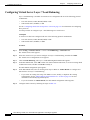
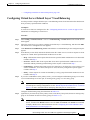
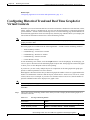
Configuring Traffic Policies
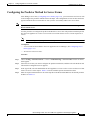
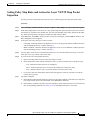
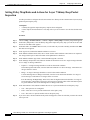
Configuring Rules and Actions for Policy Maps
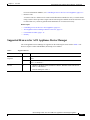
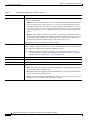
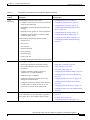
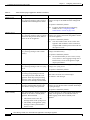
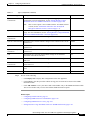
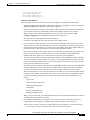
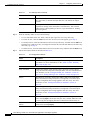
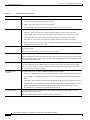
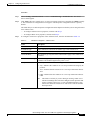
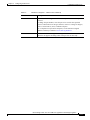
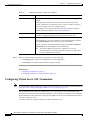
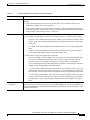
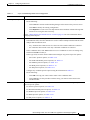
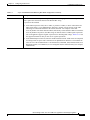
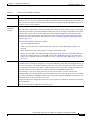
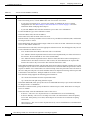
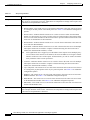
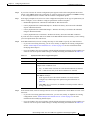
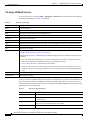
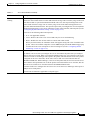
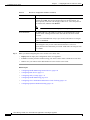
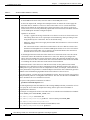
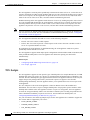
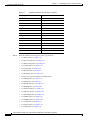
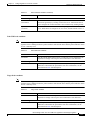
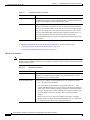
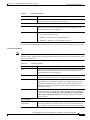
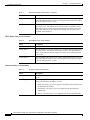
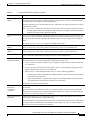
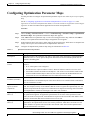
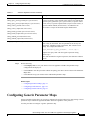
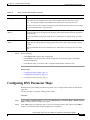
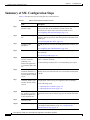
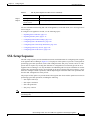
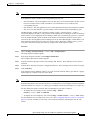
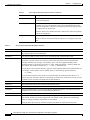
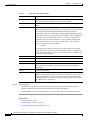
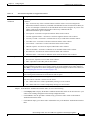
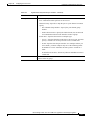
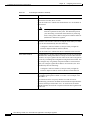
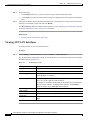
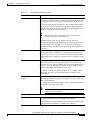
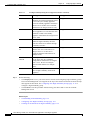
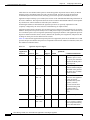
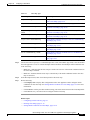
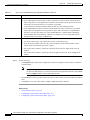
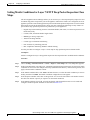
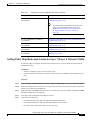
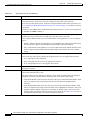
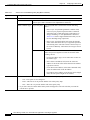
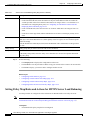
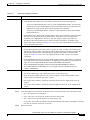
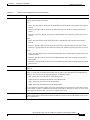
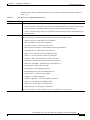
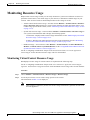
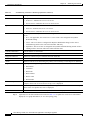
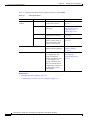
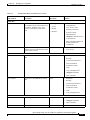
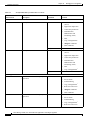
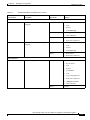
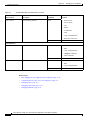
Table 12-32
Layer 7 HTTP Optimization Match Condition Types
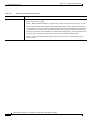
Match Condition Type Procedure
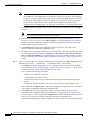
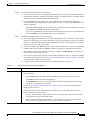
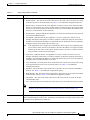
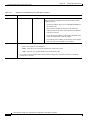
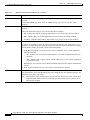
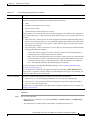
Cookie
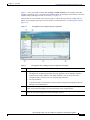
Indicates that an HTTP cookie is to be used to establish a match condition.
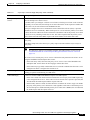
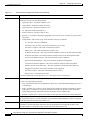
1.
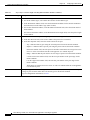
In the Cookie Name field, enter a unique cookie name. Valid entries are unquoted text strings
with no spaces and a maximum of 64 alphanumeric characters.
2.
In the Cookie Value field, enter a unique cookie value expression. Valid entries are unquoted
text strings with no spaces and a maximum of 255 alphanumeric characters.
3.
In the Secondary Cookie check box, do one of the following:
– Clear the check box to indicate that the cookie being defined is a primary cookie.
– Check the check box to indicate that the cookie being defined is a secondary cookie. You
can specify the delimiters for cookies in a URL string by using an HTTP parameter map
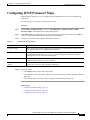
(see the “Configuring HTTP Parameter Maps” section on page 8-2).
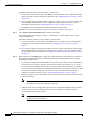
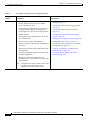
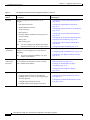
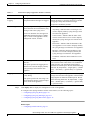
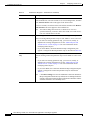
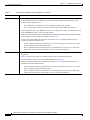
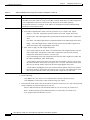
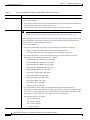
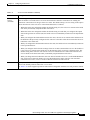
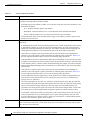
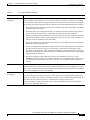
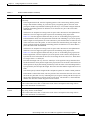
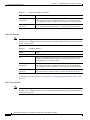
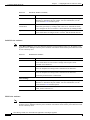
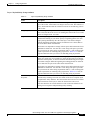
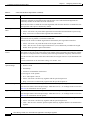
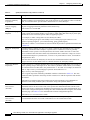
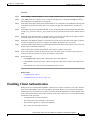
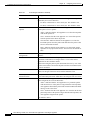
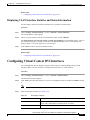
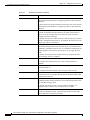
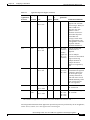
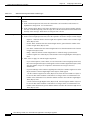
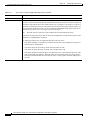
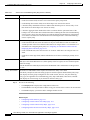
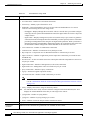
Header
Indicates that an HTTP header is to be used to establish a match condition.
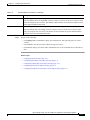
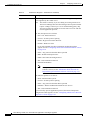
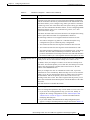
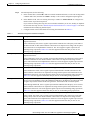
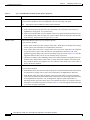
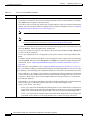
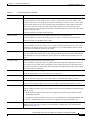
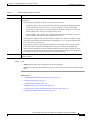
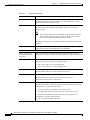
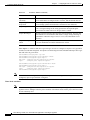
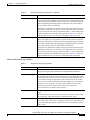
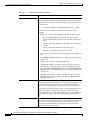
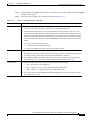
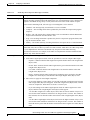
HTTP URL
1.
In the Header field, select one of the predefined HTTP headers to be matched, or select HTTP
Header to specify a different HTTP header.
2.
If you select HTTP Header, in the Header Name field, enter the name of the HTTP header to
match. Valid entries are unquoted text strings with no spaces and a maximum of 64
alphanumeric characters.
3.
In the Header Value (Bytes) field, enter the header value expression string to compare against
the value in the specified field in the HTTP header. Valid entries are text strings with a
maximum of 255 alphanumeric characters. The ACE appliance supports regular expressions
for matching. To include spaces in the string, enclose the entire string in quotes. All headers
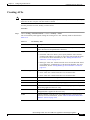
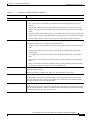
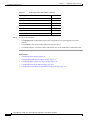
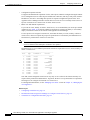
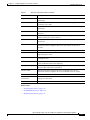
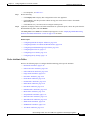
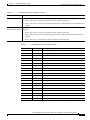
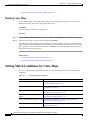
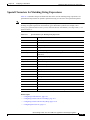
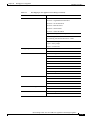
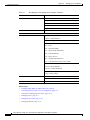
in the header map must be matched. See Table 12-33 for a list of the supported characters that
you can use in regular expressions.
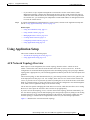
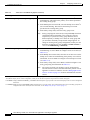
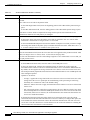
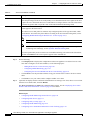
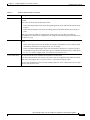
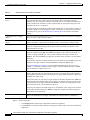
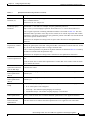
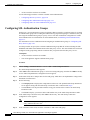
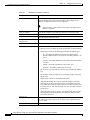
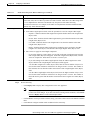
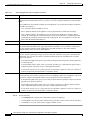
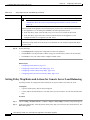
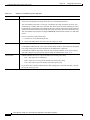
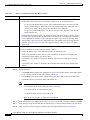
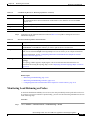
Indicates that a portion of an HTTP URL is to be used to establish a match condition.
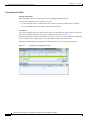
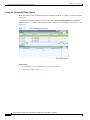
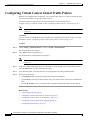
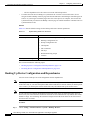
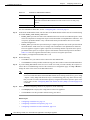
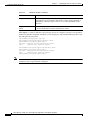
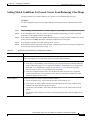
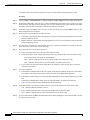
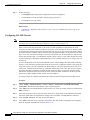
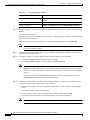
Step 8
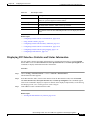
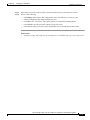
1.
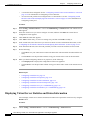
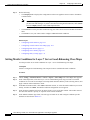
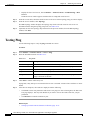
In the URL Expression field, enter a URL or a portion of a URL to match. Valid entries are
URL strings from 1 to 255 alphanumeric characters and include only the portion of the URL
following www.hostname.domain. For example, in the URL
www.anydomain.com/latest/whatsnew.html, include only /latest/whatsnew.html.
2.
In the Method Expression field, enter the HTTP method to match. Valid entries are method
names entered as unquoted text strings with no spaces and a maximum of 64 alphanumeric
characters. You can enter either one of the standard HTTP 1.1 method names (OPTIONS,
GET, HEAD, POST, PUT, DELETE, TRACE, or CONNECT) or a text string that must be
matched exactly (for example, CORVETTE).
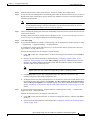
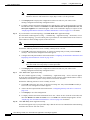
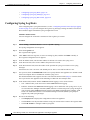
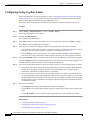
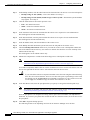
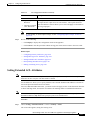
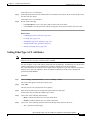
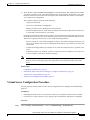
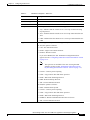
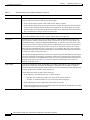
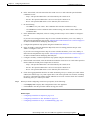
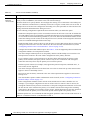
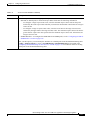
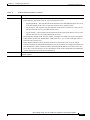
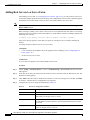
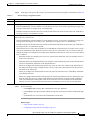
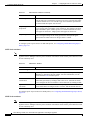
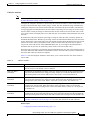
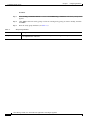
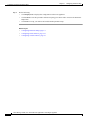
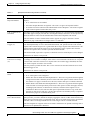
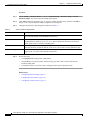
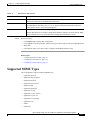
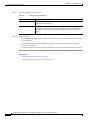
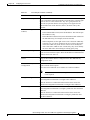
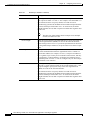
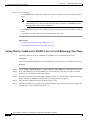
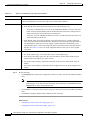
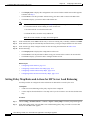
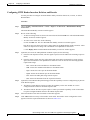
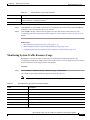
In the Insert Before field, specify whether this rule is to precede another rule in this policy map:
•
N/A—Indicates that this attribute is not set.
•
False—Indicates that this rule is not to precede another rule in the policy map.
•
True—Indicates that this rule is to precede another rule in the policy map.
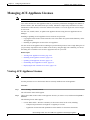
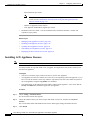
If you set Insert Before to True, the Insert Before Policy Rule field appears. Select the rule that you want
the current rule to precede.
Device Manager Guide, Cisco ACE 4700 Series Application Control Engine Appliance
OL-26645-02
12-87