1
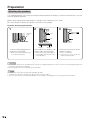
Other viewing options
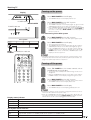
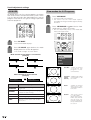
DTV control buttons
TV
TV
Mode switch
CBL VCR DVD
/SAT
/LD
/DTV
POWER
ANT-A/B
AV
FRONT
MODE
SURROUND
INPUT
MTS
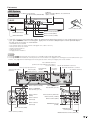
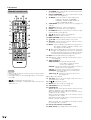
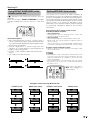
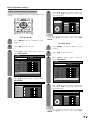
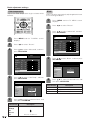
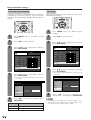
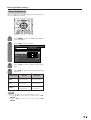
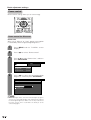
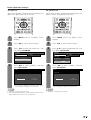
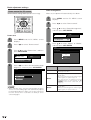
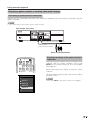
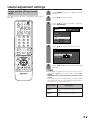
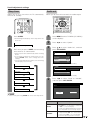
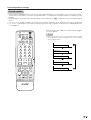
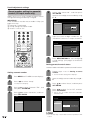
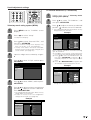
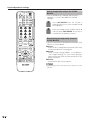
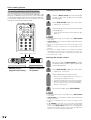
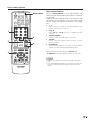
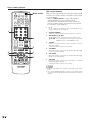
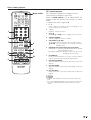
When the Mode switch is set to CBL/SAT/DTV, the
remote control unit buttons will function as shown
below.
• Operate the tuner using 1 to 10.
CC
TWIN
PICTURE
SELECT
MODE
FREEZE
INPUT
DISPLAY
SLEEP
VIEW
1
SUB
2
3
4
5
6
7
8
9
0
100
ⴐ
VOL
0–9
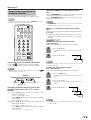
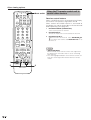
Press a button (or buttons) that corresponds to the
channel that you wish to watch.
2
• (DOT)
ENT
CH
3
CH a/b
Press CH a or CHb to tune in a higher or lower channel.
4
SOURCE POWER
Turns the digital TV tuner on and off.
5
SET/ENTER, a/b/c/d
SET/ENTER: Press to activate the selected function.
a/b/c/d: Press the button to select items on the DTV
MENU screen.
6
FAVORITE CH/Colored (blue/green/red/yellow)
FAVORITE CH: Used for making FAVORITE CH settings
with the digital TV tuner.
Blue/green/red/yellow: Used to make selections from
the digital TV tuner menu.
7
FLASHBACK
Press to switch between the current channel and the
channel you were watching immediately before.
8
DTV/DVD TOP MENU
When this button is pressed, the DTV menu screen will
display.
9
DTV/SAT GUIDE
When this button is pressed, the DTV guide screen will
display.
3
MUTE
MENU
TV/SAT/DVD
RETURN
MENU
DTV/DVD TOP
MENU
SOURCE
8
DTV/SAT
POWER
GUIDE
SET/
ENTER
9
DTV/SAT
INFO
6
1
Used for channel selection.
FLASHBACK
ⴑ
4
5
LEARN
1
2
7
TWIN CH
EDIT/
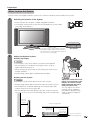
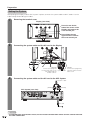
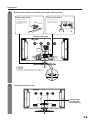
For viewing DTV broadcasts, a digital TV tuner
(commercially available) is necessary.
FAVORITE CH
10
VCR REC
A
B
C
D
POWER
INPUT
VOLⴑ
VOLⴐ
RECEIVER
10 DTV/SAT INFO
When this button is pressed, information on DTV will
display.
NOTE
• CABLE, SAT and DTV cannot be selected at the same
time.
• The color-highlighted buttons on the remote control can
learn the control signal from another device’s remote
control.
73