1
Programming
1
THE SCHEDULE TIMER IS PROGRAMMED
FOR THE FIRST TIME
NOTE
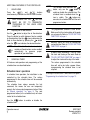
When changing day during programming
you will have to confirm "the last action".
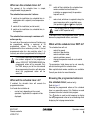
Each day can have 5 programmed
actions (numbered 1 to 5) but for some
reason you might want to delete one,
several or all programmed actions.
To be able to delete programmed actions,
you must select the last action that you
want to keep, this can be 1 to 5 or no
action (
is displayed and no action
displayed).
All programmed actions with a number
HIGHER than the selected one, or all
programmed actions if no last action was
selected will be deleted.
PROGRAMMING THE FIRST DAY OF THE WEEK
NOTE
In the guidelines below it is assumed that
you start programming the schedule
timer actions on Monday and end with the
schedule timer actions for Sunday.
If you prefer NOT to start on Monday, first
browse to the desired day and then enter
the PROGRAM mode.
Operation manual
11
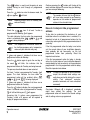
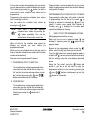
In this particular case, no actions have been programmed before, all schedule timer actions are idle.
•
Browse to Monday by pressing the
button.
The
icon appears,
will blink and one of
the
icons might be displayed
but all other fields remain blank, indicating that
no actions are programmed for Monday.
•
Enter the program mode by holding down the
button for 5 seconds, the
icon will now
blink too.
•
Press the
button to activate the first
programmed action.
•
A blinking is displayed indicating that the first
programmed action for Monday is being
programmed; The set temperature and clock
display are blinking.
•
Press the
•
temperature,
, or limit operation.
Enter the desired temperature using the
&
buttons.
•
•
button to select either set
Press the
button to toggle between
minimum set temperature and maximum set
temperature in limit operation, the selected
temperature will blink.
Enter the time when the action must start
using the
&
buttons (min.
step = 10 minutes).
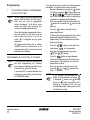
NOTE
If, by accident, you pressed the
button, you activated the next action;
is displayed ( steady and
blinking).
Press the
button repeatedly until a
blinking
is displayed. You can now
continue adjusting the settings for the first
schedule timer action.
BRC1D527
Remote controller
4PW16770-1