1
Setting
Definition
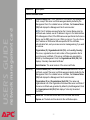
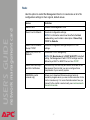
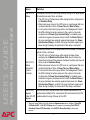
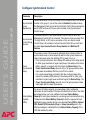
Syslog Server Settings
Uses specific IP addresses to Identify which of up to four servers will
receive Syslog messages sent by the Management Card.
NOTE: To use the Syslog feature, at least Server IP must be defined
for at least one server.
network management card
USER’S GUIDE
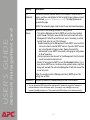
Server IP
Port
Identifies the user datagram protocol (UDP) port that the Management
Card will use to send Syslog messages. The default is 514, the
number of the UDP port assigned to Syslog.
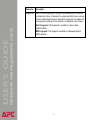
Local Priority (Severity Mapping)
Map to
Syslog’s
Priorities
Maps each of the severity levels (Local Priority settings) that can be
assigned to UPS, environmental monitor, and Management Card
events to the available Syslog priorities. The following definitions are
from RFC3164:
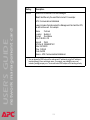
• Emergency: The system is unusable
• Alert: Action must be taken immediately
• Critical: Critical conditions
• Error: Error conditions
• Warning: Warning conditions
• Notice: Normal but significant conditions
• Informational: Informational messages
• Debug: Debug-level messages
Following are the default settings for the four Local Priority settings:
• Severe is mapped to Critical
• Warning is mapped to Warning
• Informational is mapped to Info
• None (for events that have no severity level assigned) is mapped to
Info
NOTE: To disable sending Syslog messages for Severe, Warning, or
Informational events, see Event Actions (Web Interface Only).
®
52