1
About Your SIP Phone
About Your SIP Phone
Welcome
Congratulations on your purchase of the Mitel Networks™ 5055 SIP Phone, an intelligent
Session Initiation Protocol (SIP) telephone that manages its own call states and features. The
Mitel Networks 5055 SIP Phone connects you to other SIP Phones via the Internet. You can
dial by URL, IP Address, User Name, or User Number. If you have an account with a SIP
Service Provider, you can also make calls to telephones on the “regular” phone network
(PSTN).
The 5055 SIP Phone is a multi-line set, and can have up to three user profiles, each with its
own settings.
About This User Guide
This User Guide contains information on configuring and using your 5055 SIP Phone, and is
organized as follows:
• About Your SIP Phone (this section): basic information on the SIP Phone and its
features.
• 5055 SIP Phone Features: information on how to configure and use your SIP Phone.:
information on setting up user profiles, and modifying network and SIP account
configurations.
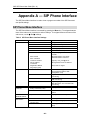
• Appendix A — SIP Phone Interface: overview of the SIP Phone Menu Interface that
can be used to program your SIP Phone.
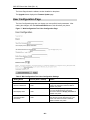
• Appendix B — Web Configuration Tool: overview of the web-based Configuration Tool
that can be used to program your SIP Phone as well as to make calls.
•
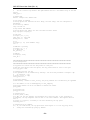
Appendix C — Configuration Files: examples of generic and specific configuration
files.
• Appendix D — Working with Firewalls: explains how to configure the SIP phone to
work with firewalls.
• Appendix E — Working with the 3050 ICP explains some of the benefits that can be
obtained by connecting at 5055 SIP phone to Mitel Networks 3050 ICP.
• Appendix F — Frequently Asked Questions provides tips on how to solve some
frequently encountered problems
• Glossary: definition of terms and acronyms found in this User Guide.
Document Conventions
• Text on the SIP Phone display or on a page of the Web Configuration Tool is shown in
double quotes (for example, “CALLING LISTS?”).
• SIP Phone keys and commands on the SIP Phone display are shown in bold (for
example, Menu).
• Sections within this document are shown in italics (for example, Using the SIP Phone
Features).
-1-