1
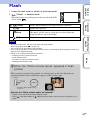
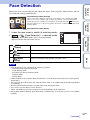
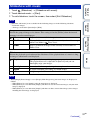
Detects the faces of your subjects and adjusts the focus, flash, exposure, white balance and redeye reduction settings automatically.
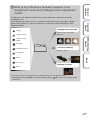
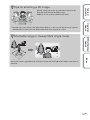
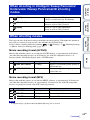
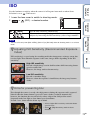
Face Detection frame (White)
1 Lower the lens cover to switch to shooting mode.
2
t
(Face Detection) t desired mode
(Auto)
Detects the face when an area with a face is touched on the screen.
Selects the face the camera is to automatically focus on.
Detects and shoots with priority on child’s face.
(Adult
Priority)
Detects and shoots with priority on adult’s face.
Index
(Child
Priority)
MENU/Settings
Search
Depending on the REC mode, this is set using buttons
displayed on the left side of the screen.
(When
touched)
Operation
Search
Face Detection frame (Orange)
When the camera detects more than one subject, the camera will judge
which is the main subject and set focus by priority. The Face Detection
frame for the main subject will change to an orange-colored
. The frame
for which the focus is set will turn green when the shutter button is pressed
halfway down.
Table of
contents
Face Detection
Notes
• [Face Detection] is not available in the following situations:
– In Intelligent Sweep Panorama mode
– In 3D shooting mode
– In Underwater iSweep Panorama mode
– In Movie Mode
– In Easy Mode
• [When touched] is not available when [Self-Timer] is set to [Self-portrait One Person] or [Self-portrait
Two People].
• You can select [Face Detection] only when the Focus mode is set to [Multi AF] or the Metering Mode is
set to [Multi].
• The Face Detection function does not work when using the Digital Zoom.
• Up to 8 faces of your subjects can be detected.
• Adults and children may not be recognized correctly depending on the conditions.
• During Smile Shutter shooting, [Face Detection] is automatically set to [Auto] even if it is set to [When
touched].
83GB
Continued r