1
Figures
4-5
4-6
4-7
4-8
4-9
4-10
4-11
4-12
5-1
5-2
5-3
5-4
5-5
5-6
5-7
5-8
5-9
5-10
5-11
5-12
5-13
5-14
5-15
5-16
5-17
5-18
5-19
5-20
5-21
5-22
5-23
5-24
5-25
5-26
6-1
6-2
6-3
6-4
6-5
6-6
6-7
6-8
6-9
viii
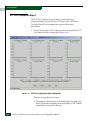
iFCP Setup Dialog Box .............................................................................. 4-14
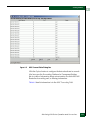
Remote Connections Dialog Box .............................................................. 4-15
Add Remote Connection Dialog Box ....................................................... 4-18
Edit Remote Connection Dialog Box ........................................................ 4-20
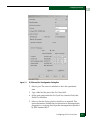
iFCP Port Redundancy Configuration Dialog Box ................................ 4-22
MAN/WAN Links ...................................................................................... 4-24
Automatic Communication ....................................................................... 4-25
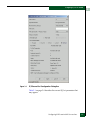
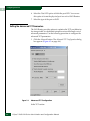
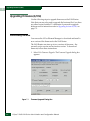
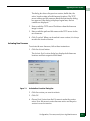
FC/Ethernet Port Configuration Dialog Box .......................................... 4-27
iSCSI Initiators Accessing FC Target .......................................................... 5-2
Example Configuration ................................................................................ 5-3
FC/Ethernet Port Configuration Dialog Box ............................................ 5-5
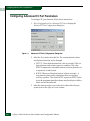
Advanced TCP Configuration ..................................................................... 5-6
Advanced TCP Configuration iSCSI Parameters ................................... 5-10
iSCSI Devices Dialog Box ........................................................................... 5-13
iSCSI Devices Dialog Box ........................................................................... 5-15
Zoning Configuration Window ................................................................ 5-19
mSAN Configuration Window ................................................................. 5-21
LUN Mapping/Masking Dialog Box ....................................................... 5-22
LUN Mapping/Masking Dialog Box ....................................................... 5-23
Computer Management Window ............................................................. 5-24
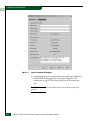
Sample Authentication Configuration ..................................................... 5-26
RADIUS Server on Management IP Subnet Static Routes .................... 5-27
RADIUS Server Configuration Dialog Box ............................................. 5-28
Advanced TCP Configuration Dialog Box .............................................. 5-29
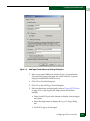
Add Target Portal Dialog Box ................................................................... 5-30
Add Target Portal Advanced Settings Dialog Box ................................. 5-31
RADIUS Server Located on the iSCSI Subnet ......................................... 5-33
RADIUS Server Configuration Dialog Box ............................................. 5-34
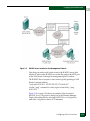
RADIUS Server Located on the Management Subnet ........................... 5-35
RADIUS Server Configuration Dialog Box ............................................. 5-36
RADIUS Server Located One Hop from Management Port ................. 5-37
RADIUS Server Configuration Dialog Box ............................................. 5-38
Add Static Route Dialog Box ..................................................................... 5-39
RADIUS Server Located on Alternate TCP Port .................................... 5-40
Device View for the SAN Router ................................................................ 6-2
Color Legend window .................................................................................. 6-3
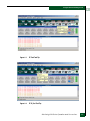
FC Port Tool Tip ............................................................................................ 6-5
FC R_Port Tool Tip ....................................................................................... 6-5
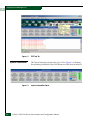
iFCP Tool Tip ................................................................................................. 6-6
System Information Panel ............................................................................ 6-6
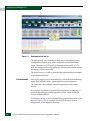
Performance Bar Tool Tip ............................................................................ 6-8
System Temperature Tool Tip ..................................................................... 6-9
Power Supply Tool Tip ................................................................................ 6-9
Eclipse™ 2640 SAN Router Administration and Configuration Manual