1
Changing the Country Code
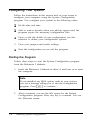
If you need to change the country code for your system’s
keyboard driver and configuration information, you can run
the CHGCTR utility. Follow these steps:
1.
Insert the Reference 1 diskette in drive A and log onto
drive A.
2.
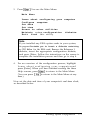
At the A> prompt, type CHGCTR and press [Enter]. You see the
information screen for the Change Country Code utility
followed by this prompt:
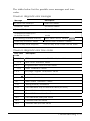
Change country code? (Y/N)
3.
If you want to keep the current country code, press [Nl. You
see a message telling you that the program still must
update your files. Then the program copies the files. Go to
step 4.
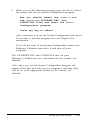
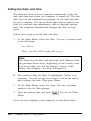
If you want to select another country code, press m. You
see the following:
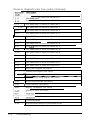
Press F1 - US Version (United States)
Press F2 - U K V e r s i o n ( U n i t e d K i n g d o m )
Press F3 - FR Version (French)
Press F4 - GR Version (German)
Press F5 - IT Version (Italian)
Press F6 - SP Version (Spanish)
Press any other key to accept the
current country code.
Press the appropriate function key for the country code you
want. The program copies the files and displays a message
confirming the change.
1-10
Setting Up Your System