1
Option 1, Format
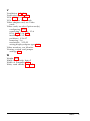
If you select Format from the Hard Disk Format Menu, you
see the following (for a disk with no defective track table):
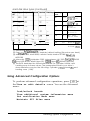
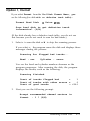
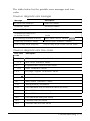
Format Hard Disk
<
Drive
n: >
Scan hard disk to get defective track
information? (Y/N)
(If the disk already has a defective track table, you do not see
this because you do not need to scan for bad tracks.)
1.
Select
Y
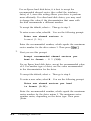
to scan the disk or N to skip the scanning process.
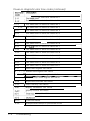
If you select Y, the program scans the disk and displays these
messages during the process:
Scanning for flagged bad tracks...
Head : nnn
Cylinder : nnnnn
You see the head and cylinder numbers decrease as the
program progresses. After scanning the disk, the program
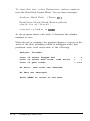
displays the results, such as the following:
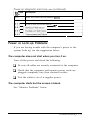
Scanning finished.
=
Count of tracks flagged bad
1
Count of tracks with other errors =
0
Count of good tracks
= 4884
2.
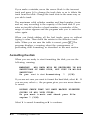
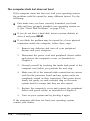
Next you see the following prompt:
Accept recommended skewed sectors in
format
: 1 ? (Y/N)
Formatting a Hard Disk
B-5