1
The Effect LEDs
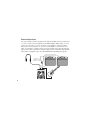
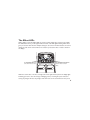
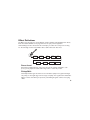
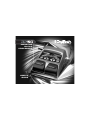
When editing a preset, the Effect LEDs are used to indicate which effect is selected for editing.
The Edit buttons move you through the Effect modules. The LEDs light indicating which effect
group is selected. Each effect has multiple settings to select from. The Value buttons are used to
change the value for the selected effect. As a button is pressed, the value or status is shown in
the display.
The EDIT/EFFECT buttons
select which effect to edit.
The VALUE/MASTER VOLUME
buttons edit the selected
effect.
When the stored value of an effect is changed, the lower right decimal point in the display lights
indicating you need to store the changes. Changing presets, or turning the power off before
storing any changes will erase any changes made and revert to the stored values for the preset.
11