1
Advanced Operations and Setups
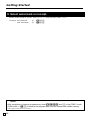
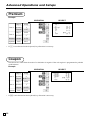
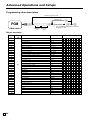
Printing read/reset reports
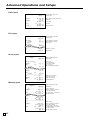
• Daily sales read report (“X” mode)
You can print read reports at any time during the business day without affecting the data stored in the cash
register's memory.
• Daily sales reset report (“Z” mode)
You should print reset reports at the end of the business day.
Important!
• The reset operation issues a report and also clears all sales data from the cash register's memory.
• Be sure to perform the reset operations at the end of each business day. Otherwise, you will not be
able to distinguish between the sales data for different dates.
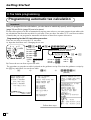
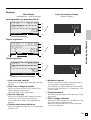
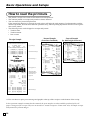
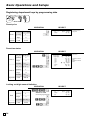
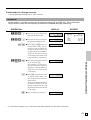
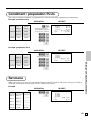
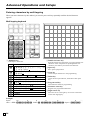
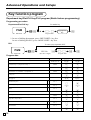
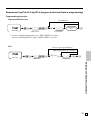
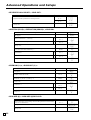
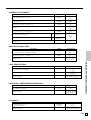
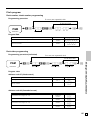
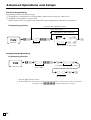
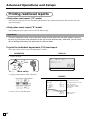
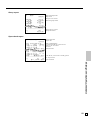
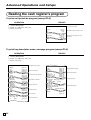
To print the individual department, PLU read report
This report shows sales for specific departments or PLUs.
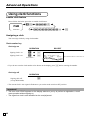
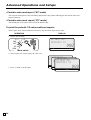
OPERATION
DISPLAY
1. Turn to X mode.
X
REG
OFF
RF
PGM
Z
X2/Z2
X NEXT:RC
DAILY X
PGM
~00
RPT
T1
T2
T3
T4
TOTAL CHANGE
AMOUNT
Mode switch
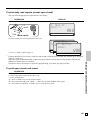
2. Specify a department / PLU / flat PLU.
REPORT
• Specifying a department
!, ", }#...
• Specifying a PLU
1+, 10+...
• Specifying a flat-PLU
(, ), @*...
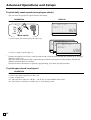
3. Press <ST> to exit this report.
E
88
X
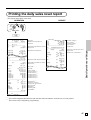
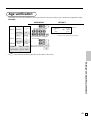
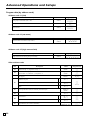
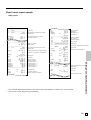
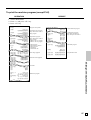
— Read symbol/report title
INDIVIDUAL
DEPT001
8.13%
PLU0001
0.53%
#0001
38
$257.53
17
$17.00
—
—
—
—
—
Department Name/No. of items
Sales ratio/amount
PLU Name/No. of items
Sales ratio/PLU amount
PLU code
-----------------------TL
88.61 — Total No. of items
$516.10 — Total amount