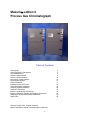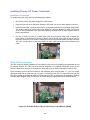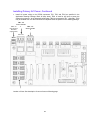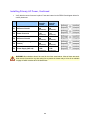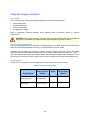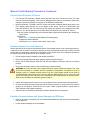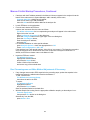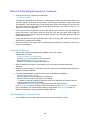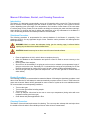
1
Installation Manual Edition 8/2007 MAXUMTM edition II Process Gas Chromatograph pro ces s p GAS CHROMATOGRAPHY Maxum™ edition II Process Gas Chromatograph Table of Contents Getting Help Safety Practices & Precautions Site Considerations Maxum II Specifications Maxum II Outline Drawing Receiving a Crated Analyzer Mounting the Analyzer Cable Connection Installing Primary AC Power Utility Gas Supply Installation Sampling System Installation Analyzer Connections Maxum II Initial Startup Procedures Maxum II Shutdown, Restart, and Cleaning Procedures Assigning IP & Sub Network Mask Addresses Spare Parts Siemens © 2001-2007 All rights reserved. Maxum and Maxum edition II are trademarks of Siemens 1 2 3 5 8 12 14 15 17 18 23 26 30 32 40 41 42 Getting Help Contacts for Help Siemens provides support for the Maxum System worldwide. Contact information is provided on all Siemens products at the web sites noted below. This page provides contact information for Maxum System technical support, training, spare parts, and field service callout. Worldwide e-mail requests can be submitted 24 hours a day, 7 days a week. Service contracts can be established for direct remote phone service for products or for regular field service visits to the site. When the analyzer is mounted and all of the connections are made, a specialist can be sent to assist you in starting up the equipment and preparing it for use. To schedule, contact Customer Service. To Contact Us: Siemens AG A&D PI 2 MIS Process Analytics Oestliche Rheinbrueckenstr. 50 76187 Karlsruhe Germany Siemens Energy & Automation, Inc. 7101 Hollister Road Houston, TX 77040 USA Siemens Pte. Limited A&D PI 2 Regional Headquarters The Siemens Center 60 MacPherson Road Singapore 348615 Tel: Fax: E-mail: Tel: Fax: E-mail: Tel: Fax: E-mail: +49 721 595 4234 +49 721 595 6375 [email protected] +1 713 939 7400 +1 713 939 9050 [email protected] +65 6490 8702 +65 6490 8703 [email protected] www.siemens.com/processanalytics www.usa.siemens.com/ia www.siemens.com/processanalytics Training Tel: +49 721 595 4035 E-mail: [email protected] Training Tel: +1 800 448 8224 (USA) Tel. +1 918 662 7030 (International) E-mail: [email protected] Siemens Industrial Automation Shanghai Spares Tel: +49 721 595 4288 E-mail: [email protected] Support Tel: E-mail: +49 721 595 7216 [email protected] Spares Tel: +1 800 448 8224 (USA) Tel: +1 918 662 7030 (International) Fax: +1 918 662 7482 E-mail: [email protected] Support Tel: Tel: E-mail: +1 800 448 8224 (USA) +1 918 662 7030 (International) [email protected] Siemens Process Analytics Ltd., Shanghai PI and Analytics Technical Service Center 12 workshops, 175 XiMaoJing Road Export Processing Zone, SongJiang Shanghai, 201611 Peoples Republic of China Tel: Fax: E-mail: +86-21-5774 9977 +86-21-6774 7181 [email protected] www.ad.siemens.com.cn Before You Call When contacting Siemens Customer Service for installation technical assistance, the user will need to provide the unit serial number and a detailed description of the problem. Indicate the installation problem encountered and provide any other information that will aid the customer service representative in correcting the problem. 2 Safety Practices and Precautions Safety First This product has been designed, tested, and supplied in a safe condition in accordance with IEC Publication 61010-1, Safety Requirements for Electrical Equipment for Measurement, Control, and Laboratory Use - Part 1: General Requirements. This manual contains information and warnings, which have to be followed to ensure safe operation and to maintain the product in a safe condition. The user must ensure that the Maxum II is installed in compliance with all applicable local and national codes for safety compliance. Terms in This Manual WARNING statements identify conditions or practices that could result in personal injury or loss of life. CAUTION statements identify conditions or practices that could result in damage to the equipment or other property. Terms as Marked on Equipment DANGER indicates a personal injury hazard immediately accessible as one reads the markings. CAUTION indicates a personal injury hazard not immediately accessible as one reads the markings, or a hazard to property, including the equipment itself. Symbols in This Manual This symbol indicates where applicable warning, caution, or other information is to be found. This HOT symbol warns the user of a hot surface and potential injury if touched. Symbols Marked on Equipment DANGER - High voltage Protective ground (earth) terminal ATTENTION - Refer to Manual This HOT symbol warns the user of a hot surface and potential injury if touched. 3 Safety Practices and Precautions, Continued Hazardous or Poisonous Gases When hazardous gases (such as poisonous, flammable, or oxygen depleting) are potentially present in or around the Maxum edition II Process Gas Chromatograph (hereafter referred to as Maxum II) area, all national and international requirements must be fulfilled to protect personnel and the environment against hazards that could arise. All process conditions (such as normal, backup, and upset) must be considered in the determination for potential hazardous gas presence. To avoid leaks, scheduled preventive maintenance and inspection for leaks should be performed by the customer. Leak sources should also be minimized as is noted in the procedure by external venting of the oven exhaust and analyzer vents. This reduces (does not eliminate) the sources for leaks, so personnel protection is a requirement whenever hazardous/poisonous gases may be present. Disregarding this warning could result in serious injury or death and damage to equipment. Correct Operating Voltage Before turning on the power initially, the responsible person should ensure the input voltage is correct for the unit configuration. Danger Arising from Loss of Ground Any interruption of the grounding conductor inside or outside the equipment or loose connection of the grounding conductor can result in a dangerous unit. Intentional interruption of the grounding conductor is not permitted. Safe Equipment If it is determined that the equipment cannot be operated safely, it should be taken out of operation and secured against unintentional usage. Use the Proper Fuse To avoid fire hazard, use only a fuse of the correct type, voltage rating, and current rating as specified in the parts list for your product. Use of repaired fuses or short-circuiting of the fuse switch is not permitted. Fuses should be replaced by trained service personnel only. Safety Guidelines DO NOT perform electrical parts replacement or repairs until all power supplies have been disconnected. Only an adequately trained technician should service or repair the equipment. When opening covers or removing parts, extreme care should be taken since hot surfaces and "live” parts or connections can be exposed. Caution should be taken when touching the outside surfaces of the analyzer when installed in ambient conditions above 40°C. 4 Site Considerations Description To protect the Maxum II from the elements, it should be located in an analyzer house or a similar protected enclosure; see Figure 1-1. The air temperature around the analyzer should be maintained between 0°F (-18°C) and 122°F (50°C). An installation drawing package will be sent out early in the project to document the application specific information for each Maxum II needed for site preparation. Final documentation will be shipped with the unit. Figure1-1.Typical Analyzer House To protect the Maxum II from the elements, it should be located in an analyzer house or a similar protected enclosure Location The Maxum II is manufactured and tagged for a specific hazardous area classification. The unit must be installed in an area that is suitable for this area classification. WARNING The unit is tagged with a T-rating which quantifies the maximum surface temperature that may occur in the instrument. The user must ensure that no combustible gas concentrations will be present, whether on a continual or occasional basis, which has an ignition temperature below the T-rating of the unit. The analyzer house should be located as close as possible to where the sample is to be obtained to minimize the sample transit time. It is preferable that this distance be less than 100 feet (30 m). The analyzer house must be large enough to allow ample access for installing, operating, and maintaining the analyzer. The concrete slab for the analyzer house should be large enough to accommodate gas cylinders located on the outside. Make sure a cylinder rack or chain guard is provided to secure the cylinders. Space inside for the analyzer must be at least 90” high by 50” wide by 40” deep (229 cm high by 127 cm wide by 102 cm deep.) The height may be somewhat less if there is no sampling system cabinet or panel beneath the analyzer. Refer to Maxum II Outline Drawing on page 12. 5 Site Considerations, Continued When the Maxum II contains an air bath oven, it will vent in excess of 3 SCFM (85 liters per minute) of heated air through the oven exhaust. See note below for the recommended approach. WARNING All vent lines and oven exhaust should be vented outside the shelter. The vents should be connected to a location where the pressure is atmospheric. Connection of oven or analyzer vents to a variable pressure source such as a flare header should not be done, as chromatographic performance will be severely affected. Backpressure on the oven vent could cause the T-rating of the instrument to be exceeded, which might become an ignition source. Refer to the comments on Hazardous gases on page 3. Installation of the unit with a combustible gas coming into the EPC requires that a restriction be placed on the flow into the Maxum II. This is required to limit the flow of the combustible gas into the unit. The recommendation is to limit the flow prior to entry into the shelter. WARNING The Maxum II will be tagged for flow restriction of combustible gases into the Electronic Pressure Controller. The user/installer must ensure that this flow restriction is implemented to permit safe operation of the unit. Intended Use The Maxum edition II gas chromatograph is used in all branches of the fine chemicals, refining and hydrocarbon processing industries. It performs chemical composition analysis of gases and liquids that are present in all phases of production. The Maxum II is built for installation in harsh environments either directly or nearby in at-line process measurement laboratories. Its application flexibility allows it to analyze samples of feedstock, partially processed streams, final products and process byproducts including wastes and environmental hazards. This product is intended to be used only in conjunction with other devices and components which have been recommended and approved by Siemens. Appropriate safety standards were used in the development, manufacture, testing, and documentation of the Maxum II. Under normal operation, this product is safe for use providing that all safety and handling guidelines are observed with respect to configuration, assembly, approved use, and maintenance. This device has been designed such that safe isolation is guaranteed between high and low voltage circuits. Low voltages which are connected must also be generated using safe isolation. If any part of the Maxum II is opened, certain parts of the device are accessible which may carry dangerous voltages. Therefore, only suitably qualified personnel may work on this device as indicated in the next section which is titled “Qualified Personnel”. 6 Site Considerations, Continued Qualified Personnel Only suitably qualified personnel may operate or perform maintenance on the Maxum II. purposes of safety, qualified personnel are defined as follows: For the • Those who have been appropriately trained for the tasks which they are performing (for example, commissioning, maintenance, or operation). • Those who have been appropriately trained in the operation of automation technology equipment and are sufficiently acquainted with Maxum II documentation. • Those who are familiar with the safety concepts of automation technology and are sufficiently acquainted with Maxum II documentation. • Those who are authorized to energize, ground and tag circuits and devices in accordance with established safety practices may perform the tasks for which they are trained. WARNING Operation or Maintenance of the Maxum II by unqualified personnel or failure to observe the warnings in this manual or on the device may lead to severe personal injury and/or extensive property damage. 7 Maxum II Specifications The equipment is designed to be operated under normal environmental conditions unless noted otherwise in the specifications that follow. Configuration Oven Options Detector Modules Number of Detector Modules Sample/Column Valves Valveless Option Columns Gas Supply Regulation Solenoids Air bath: Single isothermal oven or split oven with 2 independent isothermal zones, or one isothermal and one PTGC Airless: Single or dual independent ovens. Dual version has two distinct oven compartments for complete operating independence for up to a maximum temperature differential of 100°C. Thermal Conductivity, Flame Ionization, Flame Photometric, or Pulsed Discharge (in Helium Ionization, Photoionization, or Electron Capture Mode) Air bath: 1, 2, or 3 in any combination of detector module types Airless: 1 or 2 in any combination of detector module types Diaphragm, diaphragm-plunger, heated liquid injection valve, and rotating or linear transport, ‘Live’ Switching Packed, micro-packed, or capillary Up to 8 electronic pressure controls and up to 6 mechanical pressure controls Solenoids are 2 watts each, total SVCM wattage on continuous basis not to exceed 17 watts Performance Minimum Range (general)* Cycle Time Sensitivity* Linearity* Oven Temperature Range (Dependent on T – Rating) Temperature Control Ambient Temperature Effect Vibration Effect Mean Time To Repair Mean Time Between Failures* Thermal Conductivity: 0-500 ppm Flame Ionization: 0-1 ppm 15 sec to 3 hr (application dependent) ± 0.5% of full scale ± 2% of full scale Air bath: 40 to 440°F (5 to 225°C) Airless: 40 to 500°F (5 to 260°C) ± 0.05°F (± 0.02°C) Negligible with electronic pressure control Varying effect with mechanical pressure control* Negligible 1 hour 3 years excluding consumables Communication Options Serial Output Ethernet DataNET Data Hiway RS232, RS485 Standard 10BaseT Ethernet with RJ45 connectors Proprietary high speed TCP/IP communication network (redundant pair cable) Proprietary serial communication network (redundant pair cable) *confirm with application 8 Maxum II Specifications, Continued I/O Options Standard I/O Board Slots for Optional I/O I/O Boards Digital Inputs Digital Outputs Analog Inputs Analog Outputs Termination 2 analog outputs; 4 digital outputs (1 indicates system error, 3 are user configurable); 4 digital inputs; 1 serial output 2 AO 8: 8 electrically isolated analog output channels D I/O: 4 digital inputs and 4 digital outputs A I/O: 2 digital inputs and 2 digital outputs, 2 analog inputs and 2 analog outputs Optocoupler with internal 12-24 Vdc power supply, switchable with floating contacts. Alternative: switchable with external 12-24 Vdc supply (floating relay contacts only), external power supply negative terminal connected to common for specific DI being used Floating double-throw contacts, maximum contact load rating 1 A at 30 Vdc. Diode shunt suppression should be used for inductive loads. A DO should not drive more than a 0.5A inductive load. Dry contact DOs (I/O boards and Syscon) can not be used with line voltages. The PECM has SSRs which may be controlling line voltage for the particular application -20 to +20 mA into 50 ohms or -10 to +10 V Rin = 1 M ohm, mutually isolated to 10 V 0/4 to 20 mA into 750 ohms max., common negative pole, galvanically separated from ground, freely connectable to ground Screw compression terminal strip for braided or solid cable with maximum section of 16 AWG or 1.5 mm2 Gas Sample Requirements (application dependent) Sample Flow Sample Filtration Minimum Sample Pressure Maximum Sample Pressure Maximum Sample Temperature Material in Contact with Sample 50-200 cc/min (application dependent) 0.1 μm 5 psig (35 kPa), lower pressure optional 75 psig (515 kPa), standard; higher pressure optional 250°F (121°C) standard; higher temperature optional Stainless steel, Teflon, and polyimide; other material optional Liquid Sample Requirements (application dependent) Sample Flow Sample Filtration Minimum Sample Pressure Maximum Sample Pressure Maximum Sample Temperature Material in Contact with Sample 5-20 cc/min (application dependent) 5 μm 0.3 μm if SLIV used in application 5 psig (35 kPa), standard 300 psig (2070 kPa) standard; higher pressure optional 250°F (121°C) standard; higher temperature optional Stainless steel and Teflon; other material optional 9 Maxum II Specifications, Continued Installation Configuration Single unit with multiple enclosures CAUTION When mounting the analyzer on a wall, care should be taken to ensure that the wall (vertical mounting surface) can withstand four times the minimum weight of the analyzer when mounted with the appropriate hardware. In some cases, it is recommended that brackets, such as Unistrut or angle iron be added to the mounting surface to help distribute the weight. Mounting minimums Dimensions Weight Enclosure Rating EMI/RFI Rating Hazardous Class Ambient Temperature and Humidity (for Normal Operation, Storage, and Transport) Altitude Left side clearance: Right side clearance: Front side clearance: Wall Mount Units Center to center: 18” (460 mm) from wall or other equipment 18” (460 mm) in all cases 25 ¾” (654 mm) in all cases 44” (1120 mm) in all cases Height: 39 ¾“ (1010 mm) Width: 26 1/16” (662 mm) Depth: 16 3/16” (451 mm) 170 lb (77 kg) NEMA 3, IP54 (outdoor with weather protection) Pollution Degree 2 CE Compliance; certified to 89/336/ECC (EMC directive) CE Compliance; certified to 73/23/EEC (Low Voltage directive) Tested per EN 61010-1 / IEC 61010-1 Standard Configurations: Certified by CSA C/US for use in Class I, Division 2, Groups B,C,D Suitable for use in European Zone 2, Group IIB+H2 with local approval Suitable for use in general purpose and non-hazardous areas Optional Configurations: Certified by CSA C/US for use in Class I, Division 1, Groups B,C,D with air or nitrogen purge Certified CENELEC/ATEX as EEx pedmib IIB + H2 with air or nitrogen purge and purge control for Zone 1 or Zone 2 Minimums - 0°F (-18°C) and 0% Humidity Maximums Up to 104°F (40°C) at 50% relative humidity Up to 86°F (30°C) at 80% relative humidity Operational Maximums – The Maxum II may be operated at ambient conditions of up to 122°F (50°C) and 95% relative humidity provided the electronic doors are not opened and the electronics compartment is purged with clean, dry instrument air. The instrument air must be dry enough to prevent humidity condensation inside the electronics enclosure. Note: If the Maxum II is exposed to high condensing humidity with the electronics open or without dry purge air applied, then it must be allowed to re-stabilize at the above stated conditions for at least 8 hours before electrical power is applied. Up to 2000m (6561 ft.) for analyzers using 230 VAC Supply Up to 3000m (9842 ft.) for analyzers using 115 VAC Supply 10 Maxum II Specifications, Continued AC Power Instrument Air Carrier Gas Flame Fuel Flame Air Corrosion Protection 100-130 VAC or 187-264 VAC (configuration dependent); 47-63 Hz., single phase Transient Overvoltage – Category II (IEC 60364-4-443) Single oven: 14 amperes maximum. Dual oven: 2 circuits, 14 amperes maximum per oven To meet European Standards, customer provided power cables should be double insulated (unless both power and signal wiring are rated for 300 volts, in which case basic insulation is sufficient) 50 psig (350 kPa) minimum for units using Model 11 or Valco valves 120 psig (825 kPa) minimum for units using Model 50 valves Air bath: 25 psig (175 kPa) minimum; 3 scfm (85 liters per minute)/oven Airless: None for heating (may be used for electronics purge) Cylinder nitrogen or helium at 99.998% purity, or hydrogen at 99.999% purity depending on application Typical consumption – 180 scf/month/detector module (5100 liters/month/detector module) Hydrogen at 99.999% purity with no more than 0.5 ppm total hydrocarbons Typical consumption – 70 scf/month/detector module (2000 liters/month/detector module) Zero grade air (< 1ppm THC, O2 content 20-21%). Supplied from instrument air with catalytic purifier (optional). Typical consumption – 900 scf/month (26,000 L/month) Stainless steel oven liner Painted steel exterior (epoxy powder coat) Dry air purge to protect electronics. To maintain optimum performance, the analyzer electronics must be kept clean and dry. If the atmosphere in the installation environment contains condensing liquids or corrosive gases, the electronics compartment should be purged with clean, dry air Calibration Type Zero Span Manual or automatic Automatic baseline correction Standard sample cylinder 11 Maxum II Outline Drawing Notes Unless otherwise specified, dimensions are shown as millimeters (Inches) Recommended Minimum Clearances 2 3 Left Side - 460 (18”) Right Side – 460 (18”) Front Side – 654 (25 ¾”) Center to Center – 1120 (44”) For Air Bath Oven Only Left Exhaust For Single Oven Applications (1” Nipple) Left and Right Exhaust For Split Oven Applications (1” Nipple) 12 Installation Introduction This section is intended for installation personnel. After completing these procedures, the Maxum II will be ready for startup. To ensure a safe and trouble-free installation, follow all instructions and associated advisories. The Maxum II has special instructions in the custom documentation and on tags placed on the unit. These must be followed as well to ensure safe operation of the Maxum II. CAUTION Ensure that all AC Power (Mains) specification requirements and advisories are met. Failure to do so, and operating the equipment in a manner not specified, may impair the safety protection provided by the equipment. Be sure to review the information provided on safety practices and precautions (page v). WARNING Specific additional instructions are provided with tags placed on the Maxum II and in the custom application drawing package noted below. Installation should include all of the items noted in both of these as well as the manuals. The tagging and custom application drawing packages are unique to the particular Maxum II. Custom Application Drawing Package Included with your analyzer is a custom application drawing package that provides drawings and information pertinent only to your analyzer. Because procedures in this manual reference the drawing package, you should have this package readily available during installation. Typical drawings included are: System Block and Utility Requirements System Outline and Dimensional Drawings Sampling System – Plumbing and Spare Parts List Sampling System Dimensional Diagram Sampling Probe Electronic Controller – Internal Layout Applicable Wiring Diagrams Oven Plumbing Diagram – Sensor Near Electronics Recommended Spare Parts - Analyzer Manufacturing Test Charts Stream Composition Data Data Base Considerations for Pulsed Discharge Detector Installation Instructions Special installation considerations may be required for installation, power, gas supply, wiring, etc. in association with the Valco Pulsed Discharge Detector. If your Maxum II is equipped with this type of detector, refer to the custom documentation provided with the Maxum II and the Instruction Manual for the Pulsed Discharge Detector that is available from Valco Instruments Co. Inc. 13 Receiving a Crated Analyzer Instructions When the Maxum II is shipped to the installation site in a reinforced crate with vibration protection, it will be clearly labeled for horizontal placement and handling. On receipt of goods, look for any visible damage and verify that all items noted to be shipped were received. Record on the goods receipt any damage or missing items noting the item(s) and quantity missing on all copies. If anything is damaged or missing, then also notify your Siemens representative or authorized agent of the damage to the equipment. CAUTION If the unit is to be stored, it should be protected from the weather (the crate does not provide weather protection.) If left outside in the weather, severe damage to the unit may occur. If the unit is to be shipped to another location, preserve the vibration isolation provided in the original shipping crate, or address the vibration isolation in the shipment method. WARNING A crated Maxum II will weigh a minimum of 200 pounds (90 kg), and can weigh substantially more depending upon the configuration. It should be moved with a forklift until uncrated. Place the crate on the floor horizontally with the orientation label THIS SIDE UP pointed up. Remove the metal bands from around the crate. Unscrew the cover and remove the crate cover. Remove the crate sides to facilitate removal of the unit. Remove the 2x4 supports and foam blocks from the top of the analyzer. The analyzer will be covered in a plastic sheet. The Maxum II will be bolted to one wooden support, which should remain on the analyzer until it reaches its final mounting location. Do not remove the bolts holding the Maxum II to the wooden supports. Remove the bolts holding the mounting brackets to the base of the unit. Leave them on the analyzer for use as handholds, skids, or lifting bars. CAUTION The Maxum II must be lifted only by the mounting brackets on the back. Never allow the analyzer to be supported on its side or front. Lifting with of any of the equipment protruding from the analyzer will damage the equipment. Remove the Maxum II from the shipping crate. Remove the plastic bag and drying agent from around the analyzer. Examine the Maxum II for visible damage. Notify the carrier of the damage and file the necessary claims. Also notify your Siemens representative or authorized agent of the damage to the equipment. 14 Mounting the Analyzer Instructions The following procedures should be used to mount the Maxum II to wall or bulkhead; see Figure 2-1. Maxum II Outline Drawing on page 16. WARNING Prior to wall mounting and without the sampling system, the Maxum II will weigh a minimum of 170 pounds (77 kg). To mount the Maxum II to the wall, use a mechanical lift or the number of people specified in the user’s policy on lifting and installing. CAUTION The Maxum II should be lifted only by the mounting brackets on the back or supported from the bottom (be sure to protect any bottom connections). Never allow the analyzer to be supported on its side or front. It can be moved in either the horizontal or vertical position. Pre-installation Requirements Before installing the Maxum II to the wall, the following requirements should be followed: Determine the suitable height from the floor to allow easy access to front and internal components. Locate the Maxum II in a position that allows easy access to primary AC power wiring, I/O, stainless steel tubing connections, carrier gas and compressed air supplies, and connection of any peripheral devices within the house or shelter. The Maxum II does not have a power switch. Install a circuit breaker near the unit (or power switch with a fuse) with a rating of at least 20A is required for 115V and 16A for 230V. Refer to the Application Drawing Package for specific information on the utility requirements. CAUTION Installation regulations require the use of a ground fault interrupt (GFI) in the power supply line. More Information Application Drawing Package; Dimensional Diagram - Analyzer sheet. CE Installations Requirements page 17. Wall Mounting Units The following minimum specifications must be adhered to when wall mounting the Maxum II. Left side clearance: Right side clearance: Front side clearance: Center to center: 18" (460 mm) from wall or other equipment 18” (460 mm) in all cases 25 ¾” (654 mm) in all cases 44” (1120 mm) in all cases 15 Mounting the Analyzer, Continued Refer to Application Drawing Package, Dimension Diagram Analyzer sheet for drilling information. The following diagram has typical information for mounting, and as shown in the example pattern below, drill 12 mounting holes in the shelter (16 if sample system is attached to Maxum II.) If using an M6 bolt, use a 5.10 mm (.201 inch) drill bit. If using ¼ x 20 bolts, use a No. 7 (.201) drill bit. If using ¼ x 28 bolts, use a No. 3 (.213) drill bit. Be certain mounting height is convenient for the user. Protective Earth Ground Located on back of the Maxum II (see page 16) Dimensions for Air Bath Oven Models Only Figure 2-1: Maxum II Outline Drawing With a forklift or adequate personnel, lift and align Maxum II mounting holes with those of the house or shelter wall pre-drilled mounting holes. Insert the 12 or 16 bolts through Maxum II mounting brackets and into mounting wall stud pre-drilled holes. Before tightening mounting bolts, be certain unit is leveled both horizontally and vertically. Securely tighten all bolts to be certain the Maxum II is securely mounted to the wall. CAUTION Ensure ground wire / protective conductor from external protective earthing system is connected to ground lug / protective conductor terminal before connection to mains power. Refer to the drawing above for location of the PE lug. 16 Cable Connections Protective Earth Ground Install protective earth ground per applicable codes (see diagram on page 16). This is located on the back of the Maxum II and is secured with a M5 x 10 socket head screw (uses M4 hex). Cable Connection using Steel Conduit System Using flexible conduit and/or armored cable is equivalent to using “steel conduit.” The power wiring and the Ethernet wiring can be regular unshielded lines. The power wiring and signal wiring (Ethernet and Data Hiway cables) must be routed in separate conduit. All DO lines with inductive loads must have transient suppression at the inductive load. Flexible conduit or armored cable must have its flexible conduit and/or armoring conductivity 360degree terminated at its entry to the Maxum II enclosure (or bulkhead.). Cable Connection when conforming to CE / ATEX Requirements Instructions This section provides information on how to install Input/Output cabling to conform to maintain CE conformance (Conformite European). This applies to most European Community (EC) installations. Typically, this does not apply to users outside the EC unless the equipment was purchased with the requirement that it shall conform to EC Electromagnetic and Radio Frequency Interference (EMI/RFI) rejection specifications. The following information pertains to CE Installation for General Purpose, and Zone 2 equipment. For Zone 1 Installations all I/O cabling is terminated in the APU relay box, externally mounted to the Maxum II. Cable Installation All cables to the Maxum edition II must be shielded. The shield must be 360-degree connected to ground only at one end, normally at MAXUM's metal cable glands. The shield must end at the cable gland. Mounting the cable to the cable gland: Loosen nut (2) of a suitable cable gland and remove the sealing ring (1) Push cable into chromatograph as far as required Remove isolation and screen from end of cable up to screwed gland. Expose 2 cm (1") of screen Connect screen around sealing ring (1) and tighten nut (2) Signal Cable With Zone 2 analyzers or non-Ex analyzers connect the signal cables via the metal cable glands to the chromatograph. With Zone 1 analyzers connect all signal cables, that can not accidentally get voltage from outside (e.g. relay contacts), via the metal cable glands to the chromatograph. With Zone 1 analyzers connect all signal cables, that can accidentally get voltage from outside (e.g. Ready, RS485, Ethernet)), to the cut off relay. Power Cable Refer to the Application Drawing Package for specific requirements and routing for the power cable. A shielded power cord or cable must be used for the input power wiring. With Zone 1 & 2 analyzers connect the power cable at the APU terminal block at the back-top of the assembly shown. Note: All DO lines with inductive loads must have transient suppression at the inductive load. 17 Installing Primary AC Power Primary AC Power For Installation of AC Power for CE / ATEX units, refer to the Application Drawing Package, and page 17 concerning the special requirements for these systems which will be different from the information contained below. This section is documenting the requirements only for non-CE/ATEX units. The Maxum II operates from 100-130 VAC or 187-264 VAC 47-63Hz, single phase. WARNING Do not apply power to the unit until procedurally instructed to do so (this appears in a later procedure in this manual.) Installation personnel shall adhere to all AC power (Mains) specification requirements; see Application Drawing Package & Utility Diagram sheet. Failure to do so, and operating the equipment in a manner not specified, can impair the safety protection provided by the equipment. Fuses Fuses are located on the Power Entry Control Module located on the left sidewall of the Electronic Enclosure. Fuse requirements are (see page 22 for part numbers and locations): F1-ABH2: 16 Amperes, 115 VAC or 10 Amperes, 230 VAC F2-ABH1: 16 Amperes, 115 VAC or 10 Amperes, 230 VAC F3-FLT AC: 3.15 Amperes, 115 VAC or 230 VAC F4-LWH: 10 Amperes,115 VAC or 230 VAC F5-MWH: 6.3 Amperes,115 VAC or 230 VAC WARNING No substitutes should be used for the fuses noted above. Most of these are sand filled ceramic fuses with a very fast acting fuse to protect the heater relays. A fuse kit is available which contains all of the listed fuses on page 42. Power Consumption Typical maximum power consumption for the analyzer is 1700 Watts (single oven heater) during warmup, and averages 500 to 700 Watts during operation. In addition, a sampling system with a heated cabinet can consume from 30 to 2000 Watts, depending upon its particular arrangement. Refer to Application Drawing Package, Block Diagram Utility Connections sheet for the analyzer’s specific voltage and total power requirements (the wattage for the sampling system, if required, will also be given.) Installation of Components The following customer provided components are required for installation of primary AC power (if this is a CE / ATEX installation, then the user should refer to the Application Drawing Package for specifics): Primary AC Wire Size Customer AC power wiring recommended is three wire 12 AWG for 115 VAC and 14 AWG for 230 VAC with a hot, neutral, and ground. 18 Installing Primary AC Power, Continued Circuit Breaker The circuit breaker should have the correct ampere rating, number of poles, and rated for the area that it will be installed. The circuit breaker must be installed in close proximity to the Maxum II so it is easily accessible to the service technician for turning power off to perform maintenance functions or for safety purposes. In addition, the circuit breaker must be labeled as the disconnecting device for the Maxum II. CAUTION All AC power (Mains) wiring shall be in accordance with all applicable codes. Conduit The AC primary power rigid and explosion proof conduit must be ½” (1.26 cm) minimum diameter. The conduit end, which terminates at the Enclosure, must be equipped with an explosion proof seal. The conduit terminates at the Enclosure opening located on the top left side. It is recommended that a conduit hub be used to securely connect the conduit to the EC Enclosure. The conduit hub type used must meet the electrical codes for the area of installation. Specific Application Information Application Drawing Package, Block Diagram Utility Connections sheet and Arrangement Drawing Electronics Controller sheet. CE Conformance Requirements page 17. Power Entry The primary AC (Mains) power can be routed to the Maxum II through side or top access plates. The plates can be punched to accommodate conduit or cable gland connectors. Cable Gland Removable Access Plate Figure 2-2: AC Power Entry Through Top Access Plate Power Connections The AC input power connection is made to a removable green connector (TB1) located on the upper lefthand side of the Power Entry Control Module (PECM). Refer to Figure 2-3. The bottom connector assembly is hardwired to the (PECM) circuit board and is non-removable. TB2 is used if the analyzer has a second high wattage heater. TB10 is the power source for the Maxum II electronics, exclusive of the heaters. 19 Installing Primary AC Power, Continued Installation Procedure To install primary AC wiring, perform the following procedures: Shut off the primary AC power supply line to this location. Open the front door of the Electronic Enclosure (if locked, use a 4 mm Allen wrench to unlock it.) Install circuit breaker, conduit and primary AC wiring appropriate for the area safety classification. The breaker should be located near to the Maxum II. Label the Breaker to make sure that the circuit is clearly identifiable. See Application Drawing Package Block & Utility Diagram sheet for power requirements. Run the 12 AWG (115 VAC) or 14 AWG (230 VAC) wiring through a cable gland or conduit (per local codes) to the Electronic Enclosure interior. Allow enough extra cable to be run into the Electronic Enclosure to be certain it reaches the Power Entry Control Module (PECM) Connector TB1. Use enough cable so that there will be no sharp cable bends when the terminations are made. TB2 & TB10 Connections The TB2 connector permits installation of a second AC power source for powering air bath heater #2 and low wattage heaters. The TB10 connector permits installation of a separate UPS power source for the Maxum II electronics exclusive of the heaters or alternately may be wired to the power source for TB-1. Each secondary power source must have its own explosion proof circuit breaker, ½” (1.26 cm) conduit with Myers Hub, and 12 AWG wiring for 115 VAC or 14 AWG for 230 VAC. To connect AC wiring to TB2 and TB10, repeat the procedural steps for PECM connector TB1 as specified in the Application Drawing Package, Block Diagram Utility Connections, and Arrangement Drawing Electronics Controller sheet. Figure 2-3. AC Power Entry to TB1 on Power Entry Control Module (PECM) 20 Installing Primary AC Power, Continued Install AC power wiring to the PECM connectors TB1, TB2, and TB10 as specified in the Application Drawing Package, Block & Utility sheet. TB10 is used for AC input to power the electronics enclosure. In the standard configuration TB10 is connected to TB1. Optionally, TB10 may be isolated from TB1 and connected to a separate UPS as specified in the drawing package. TB1 - AC Power Circuit 1 TB10 – AC Power Input for Electronics (Optional UPS) H N G TB2 - AC Power Circuit 2 H N G HNG Location of fuses. See description of correct fuses on following page. 21 Installing Primary AC Power, Continued F1 F5 F2 F4 F3 Verify that the correct fuses are in place. Fuses are located on the PECM. See diagram below for correct placement. AC Power Circuit 1 Heater Channel 6 AC Power Circuit 2 LWH 1-5 (low wattage heaters) Power Supply (24V out) Fuses for 115VAC Fuses for 230VAC 16A 10A (1901693-001) (1901694-001) 6.3A 6.3A (1901695-001) (1901695-001) 16A 10A (1901693-001) (1901694-001) 10A 10A (1901694-001) (1901694-001) 3.15A 3.15A (1302004-033) (1302004-033) WARNING No substitutes should be used for the fuses noted above. Most of these are sandfilled ceramic fuses with a very fast acting fuse to protect the heater relays. A fuse kit is available on page 42 which contains all of the listed fuses. 22 Utility Gas Supply Installation Description This section provides the utility gas supply installation requirements for the analyzer. Carrier Supply Gas Calibration Standard Detector Fuel Supply Compressed Air Supply Refer to Application Drawing Package, Block Diagram Utility Connections sheet for analyzer requirements. WARNING Ensure that personnel, electrical, and local and national codes are considered for storage, use, and handling of compressed and liquefied gasses in portable cylinders. Carrier Supply Installation The carrier gas is specified in the Application Drawing Package on the Block Diagram Utility Connections sheet. See Technical Specifications on page 11 for requirements for the air supply. Install two secured carrier gas cylinders in tandem near the analyzer mounting location. This allows exchange of the cylinders without disrupting the carrier supply. Install carrier lines using new, clean, ¼” (.635 cm) stainless steel tubing and fittings between the carrier gas cylinders and the analyzer. Do not use cutting oil on the tubing. Install a check valve to prevent contamination if backpressure should occur. Consumption Typical carrier consumption is 180 standard cubic feet per month (5100 liters per month.) Table 2-1 Regulator Assemblies Manufacturer's Name and Part Number Siemens Part # Helium or nitrogen of ultra high purity ConCoa 2124301-580 X10014 Stainless Steel Hydrogen of ultra high purity ConCoa 2124-310-350 X10035 Stainless Steel Regulated Gas 23 Valve & Fitting Material Utility Gas Supply Installation, Continued Figure 2-4. Automatically Switched Carrier Gas Cylinders Calibration Standard Supply Installation The Calibration Standard Supply required is specified in the "Notes" block on the Block Diagram Utility Connections sheet contained in the Application Drawing Package. Mounting Always mount the calibration standard cylinder as close to the analyzer as practical. When installing calibration standard cylinders, always use new, clean, ¼” (.635 cm) stainless steel tubing and fittings for the line between the cylinder and the analyzer. Before connecting the line to the cylinder, blow it out with a clean, dry, inert gas and cap the open end of the tubing. A certified calibration standard may be purchased from Siemens or another supplier. If Siemens supplies the calibration standard, it will be noted in the "Notes" block on the Block Diagram Utility Connections sheet contained in the Application Drawing Package. Heat Tracing Some vapor standards must be heated to prevent condensation. If heat tracing is required, it will be noted in the "Notes" block on the Block Diagram Utility Connections sheet contained in the Application Drawing Package. When heat tracing is used, it is essential that none of the tubing be exposed to ambient conditions. Steam tracing must be continuously sloped downward for draining any condensate, and it must have condensate traps at any low points. 24 Utility Gas Supply Installation, Continued Detector Flame Fuel Supply The FPD will need supplemental hydrogen and the FID may also need supplemental hydrogen for the flame depending upon the type of columns used. See Technical Specifications on page 11 for requirements for the flame fuel supply. If your analyzer uses a hydrogen carrier, it also serves as the flame fuel for a FID or an FPD. In this case, the flame fuel regulator may or may not be supplied. If your analyzer uses a carrier gas other than hydrogen, the flame fuel for a FID and an FPD must come from a hydrogen cylinder. A flame fuel regulator will be supplied. Install the hydrogen cylinder next to the carrier supply. Install the flame fuel supply lines using new, clean ¼” (6.35 mm) stainless steel tubing between the hydrogen supply and the analyzer. The average flame fuel consumption per detector is 70 SCF (1982 dm3) per month. WARNING Always shut off the flow of gas utilities when air is not present to reduce consumption and the possibility of flammable gas in the oven and or sample system. FID Air Supply If your analyzer uses a FID, the air required for the FID flame usually comes from an air treater. Refer to Application Drawing Package for air and power connection to the air treater; Block Diagram Utility Connections sheet. See Technical Specifications on page 11 for requirements for the air supply. Compressed Air Supply Air of instrument quality (clean, dry, and oil-free) is required to ensure trouble-free operation. Applicable codes require that the compressor intake be located in a non-hazardous area, and the suction be designed to prevent leaks which might permit hazardous gases or vapors to be drawn into the compressor. The air must contain no more than trace amounts of any flammable gas or vapor. See Technical Specifications on page 11 for requirements for the air supply. WARNING If a purge gas other than air is used, precautions must be taken to monitor and prevent oxygen depletion from occurring in the area. This is also needed when a backup other than air is used. Depletion of oxygen can cause death to personnel in the area. Minimum Air Pressure The minimum air pressure required for an analyzer will depend upon the analyzer’s application. For the specific air pressure requirements for your analyzer refer to the Application Drawing Package, the Block Diagram Utility sheet. Analyzer Connections Reference the Analyzer Connections Instructions on page 30. 25 Sampling System Installation Siemens Supplied Sample System The sampling system provides a conditioned process sample to the analyzer. This section is intended to provide guidelines and is not intended to be a comprehensive installation procedure. Be sure to follow local and national codes with regard to the installation of this equipment. If the sampling system was provided by Siemens, then references will be given to link to the custom documentation package. Refer to Application Drawing Package, Sampling System sheets for information concerning sampling system. CAUTION Sample filtering is required to protect the sample valve from contaminants. Refer to your custom documentation to check on the requirements for your system. In some cases these are installed at the factory. Siemens sample systems typically receive process samples from the transport system at 0 to 250°F (-18 to 122°C), and at 5 to 250 psig (34 to 1724 kPa) for gases, or 15 to 250 psig (103 to 1724 kPa) for liquids. The process line selected for removal of the sample should have these characteristics: A horizontal run Containing a single sample phase (either all gas or all liquid) Close to the analyzer Reasonably protected from mechanical damage Reasonably easy to access for installation and removal of the sample probe. Sample Probe Installation To install a sample probe, use an existing full-port gate valve, or weld a half-coupling on the process line and attach a 3” (7.6 cm) long schedule 160 nipple and gate valve, then hot-tap into the process line. The probe can then be attached to the gate valve by a reducing bushing and a suitable packing gland. Refer to Application Drawing Package, Block Diagram Utility Connections sheet and Sample Probe sheet. The sample probe should be long enough to be inserted to the process pipe's centerline, or at least 4” (10 cm) past the process pipe's inside wall. The probe should be cut off at the valve end to leave a maximum of 1” (2.5 cm) of tubing between the packing gland and the shut-off valve when the probe is fully inserted. This decreases the chance of bending or breaking off the probe tube. Additional Equipment Additional equipment associated with the probe, such as a regulator and vaporizer, if required, is attached with a U-bolt bracket connected around the 3” (7.6 cm) long nipple upstream of the process gate valve. Refer to Application Drawing Package, Block Diagram Utility Connections sheet and Sample Probe sheet. 26 Sampling System Installation, Continued Transport Tubing Refer to Application Drawing Package, Block Diagram Utility Connections sheet. Gas Samples Transport tubing is typically ¼“ (6.35 mm) OD for gas samples, and ⅜“ (9.53 mm) OD for liquids. Leave enough extra tubing to make sure it will reach the connection points. The stainless steel tubing must be very clean and dry. If in doubt, flush it with acetone and dry it with an inert gas. Cap the open tubing ends to prevent contamination. Plan to transport gases at as low a pressure as possible, typically 5 to 15 psig (35 to 103kPa) or 5 psig (35 kPa) above the sample return pressure. The analyzer requires 5 psig (34 kPa) of differential pressure. The pressure should be set at the probe site. Liquid Samples Liquids should have a minimum of 25 psig (172-kPa) differential between the sample take-off and return points, allowing for a minimum liquid flow of ½ U.S. gal/min (1.9 L/min). Sample lines of ⅜“ (9.53 mm) OD more than 100-ft. (30.5 m) long may require more than 25 psig (172-kPa) differential. Heat Tracing Refer to Application Drawing Package, Block Diagram Utility Connections sheet. Some sampling systems require heat tracing of the transport tubing. If heat tracing is required, it will be noted on the Block Diagram Utility Connections sheet. It is essential that none of transport tubing be exposed to ambient conditions. The tubing must be continuously traced, insulated, and weather protected. Steam tracing must be continuously sloped downward for draining any condensate, and it must have condensate traps at low points and at least every 50 ft. (15.2 m). All joints and valves must also be heat traced, insulated, and weather proofed. The tubing must be continuously traced through the analyzer house wall and up to the edge of the sampling system cabinet. If steam tracing is used, it must be at the pressure recommended on the Block Diagram Utility Connections sheet. If electrical tracing is used, it must be safe for the hazardous area location. It must also be of the wattage recommended on the Block Diagram Utility Connections sheet. Sample Wetted Parts Each Maxum II system is designed by Siemens with the customer’s specific application needs in mind. This includes the design of all parts coming into contact with the sample. Each system is designed such that all sample wetted parts (e.g. valves, fittings, tubing, etc.) are compatible with the sample materials. This compatibility must be taken into account if any changes are to be made to the sample composition. Refer to the Application Drawing Package for more information regarding the materials for which a specific analyzer is designed. 27 Sampling System Installation, Continued Figure 2-4. Typical Installed Sample Probe Returning Samples to the Process Stream Refer to the Application Drawing Package, Sampling System sheet and Block Diagram Utility Connections sheet. If the sample stream is a gas and is to be released to the atmosphere, install a vent line outside the analyzer house to at least 8 ft. (2.4 m) above the ground. The exhaust end should be curved down, or a vent cap added for weather protection. If the sample gas is to be returned to a pressurized line, a minimum pollution valve is required in the sampling system. The return line should have only a very low pressure (0 to 20 psig [0 to 138 kPa].) Install a check valve to prevent backflow. When returning a gas sample that can condense, slope it downward to a liquid drain or return it to the process stream using heat tracing to prevent any condensation. For details on installing heat tracing, refer to the "Sampling System" description in this section. 28 Sampling System Installation, Continued Liquid Samples If the sample stream is a liquid, all of the liquid flows should be returned to the process. It is easiest to return both the sample bypass and analyzer flows together; however, if the differential pressure available at the analyzer house is less than 10 psig (69 kPa), a separate power pressure return is required for the analyzer flow (typically 20 cm3/min.) If the liquid could reverse flow in the process line, install check valves where applicable. Make sure the return tubing is long enough to reach the connection points. Cap the open ends of the tubing to prevent contamination. Vents, Drains, or Means of Returning Samples to the Process Stream If the sample gas is to be returned to a pressurized line, an atmospheric reference valve (ARV) is required in the sampling system. The return line should have only a very low pressure (0 to 20 psig [0 to 138 kPa]). Install a check valve to prevent backflow. When returning a gas sample that can condense, slope it downward to a liquid drain or return it to the process stream using heat tracing to prevent any condensation. For details on installing heat tracing, refer to the "Sampling System" description in this section. If the sampled stream is a liquid, all of the liquid flows should be returned to the process. It is easiest to return both the sample bypass and analyzer flows together; however, if the differential pressure available at the analyzer house is less than 10 psig (69 kPa), a separate lower pressure return is required for the analyzer flow (typically 20 cm3/min.) If the liquid could reverse flow in the process line, install check valves where applicable. Make sure the return tubing is long enough to reach the connection points. Cap the open ends of the tubing to prevent contamination. WARNING All vent lines and oven exhaust should be vented outside the shelter. The vents should be connected to a location where the pressure is atmospheric. Connection of oven or analyzer vents to a variable pressure source such as a flare header should not be done as chromatographic performance will be severely affected. Backpressure on the oven vent could cause the T-rating of the instrument to be exceeded, which might become an ignition source. Refer to the comments on Hazardous gases on page 3. 29 Analyzer Connections Before You Begin Ensure that the Utility Gas Supply and Sample System are installed in accordance with the Utility Gas Supply Requirements on page 23 and the Sample System Installation requirements on page 26. Reference the Analyzer Connections below. Input/Output Lines If your system uses optional peripheral or control devices, additional wiring is required. Siemens recommends the wire specifications shown in the Application Drawings Package, Cable Specifications sheet. For CE Conformance Requirements, see page 17. CAUTION External connections to inputs / outputs must be powered from a limited source of supply. WARNING All vent lines and oven exhaust should be vented outside the shelter. The vents should be connected to a location where the pressure is atmospheric. Connection of oven or analyzer vents to a variable pressure source such as a flare header should not be done as chromatographic performance will be severely affected. Backpressure on the oven vent could cause the T-rating of the instrument to be exceeded, which might become an ignition source. Refer to the comments on Hazardous gases on page 3. Analyzer Connections Refer to Application Drawing Package, Block Diagram Utility Connections sheet for analyzer requirements. Remove the plugs from the air supply lines. Purge the lines, and then turn off the air supply. Connect the air lines to the ⅜” (9.53 mm) stainless tubing at the analyzer ports labeled "AIR IN" and "VALVE AIR," if this option is used. Remove the plug from the carrier line. Purge the line, and then turn off the carrier supply. Connect the carrier line to the ¼” (6.35 mm) tubing at the analyzer port labeled "CARRIER IN." For an analyzer with a detector that uses a carrier gas other than hydrogen, connect the hydrogen line (after purging and turning off the supply) to the ¼” (6.35 mm) tubing at the analyzer port labeled "HYDROGEN." WARNING To prevent dangerous conditions to life, always shut off the flow of gas utilities when air is not present to reduce consumption and the possibility of flammable gas in the oven and or sample system. 30 Analyzer Connections, Continued For an analyzer with an FID, connect a length of new, clean, ¼” (6.35 mm) stainless steel tubing to the analyzer port labeled "FLAME AIR OUT," and run it to the inlet port on a separately mounted air treater. For an analyzer with an FID, connect a length of new, clean, ¼” (6.35 mm) stainless steel tubing to the instrument air supply, and run it to the outlet port on the separately mounted air treater. Mount the air treater in a convenient location near the analyzer. The mounting bracket requires four ¼” (6.35 mm) diameter bolts. The air treater can be mounted on a wall in whichever direction is best for connecting the ¼” (6.35 mm) tubing to and from the analyzer. The analyzer oven exhaust vent(s) should be routed outside the building or shelter. See warning concerning vent lines on page 30. Remove the plugs from the sample supply lines. If Siemens is supplying the sampling system, the sample conditioning portion will probably be mounted in a cabinet or on a panel beneath the analyzer oven. Connect the sample supply lines to the port labeled by their stream numbers on the side of the cabinet or on the panel; refer to the Application Drawing Package, Sampling System Connections sheet. Remove the plug from the calibration standard supply line. Connect the line to the port labeled "STANDARD" on the sampling system cabinet or panel; refer to Application Drawing Package, Sampling System Connections sheet. Connect drain, or return lines, as required to the appropriate sampling system vent refer to Application Drawing Package, Sampling System Connections sheet. 31 Maxum II Initial Startup Procedures Important Before proceeding with these procedures make sure the Maxum II is installed correctly in accordance with these instructions and local and national codes. Refer to the custom documentation for particular Maxum II details and/or procedures. Instructions Perform all the procedures in this section consecutively starting with inspection of the Electronics Enclosure. WARNING When the Electronic Enclosure door is open, voltage dangerous to life exists. These procedures will involve operation of the unit with the electronics door open, which will require a “hot work permit” in some locations to ensure that there are no hazards for the personnel working in the area. Inspection of the Electronics Enclosure The following procedure visually checks that the connectors and plugs in the Electronic Enclosure are properly connected. WARNING/CAUTION The cable harness connectors and the chassis plugs associated with the Heater power circuits are marked with orange identifier tags. Before reconnecting any connector or plug to a Heater power circuit, ensure that the orange identifier tag on the connector or plug reads identical to the orange identifier tag on its mating connector. The ferrules connected on the gas supply side of the EPCM manifold are composed of vespel-graphite. To prevent damage, these ferrules must NOT be over-tightened. Proper tightness is typically ½ turn past finger-tight. Ensure that the AC (Mains) power is off to the Maxum II. Open the electronic enclosure door and inspect all connections to the Power Entry Control Module (PECM.) Inspect all SNE/DPM/EPC/SVCM connections (see WARNING/CAUTION above.) Preparation and Inspection of the Oven Enclosure The following procedure checks the oven operation. Ensure that all caps from vents on the sides of the oven (outside) have been removed. WARNING All vent lines and oven exhaust should be vented outside the shelter. The vents should be connected to a location where the pressure is atmospheric. Connection of oven or analyzer vents to a variable pressure source such as a flare header should not be done as chromatographic performance will be severely affected. Backpressure on the oven vent could cause the T-rating of the instrument to be exceeded, which might become an ignition source. 32 Refer to the comments on Hazardous gases on page 3. Maxum II Initial Startup Procedures, Continued Continuing with the main power still off, open the oven door and carefully remove all material, if present. If columns were removed for shipment, these should be installed in the oven. Check for any crimped or broken tubing. Finger test fittings to make sure they are tight. Establish Utility Gas Flows Unblock the instrument air supply. If oven air regulators are set to their setpoints, adjust them to 0 psig to turn off the oven heaters. Set Valve gas, if used, to the pressure specified in the Maxum II factory documentation. If valve gas is not air, first open the valves on the cylinder providing the gas. Note: the Maxum II has a shutdown program based on valve gas pressure. A pressure switch is set at a decreasing setpoint of 100 psig (700 kPa.) If supply line pressure drops below this setpoint, analyzer mode is set to hold, and all EPCs and heaters are disabled. EPCs and heaters must then be manually enabled through the MMI before restarting the analyzer. Unblock the carrier gas and set the cylinder regulators at least 25 psi (175 kPa) above the factory carrier gas setpoints. If used, unblock the flame detector fuel and air supplies and set the cylinder regulators at least 25 psi (175 kPa) above the factory setpoints. Establish Power to the Maxum II Turn on power to the Maxum II. Wait for the system to boot up. On the MMI, the system boots up to the Monitor menu. Select the Maintenance menu by pressing Select menu > 2. In the Maintenance menu, press 8 > 6 to display the EPCs. Leak Check the Column Oven Connections Confirm the EPCs are enabled and that the pressure indicated matches the setpoint. Use a foaming liquid leak detector and leak test the fittings in the oven. Do not use a foaming liquid detector on connections made with fused silica capillary columns; instead, use isopropyl alcohol. Tighten any leaking fitting with the appropriate wrench until no leaks are detected. Clean up any excess leak check fluid with absorbent paper towels. Check sample line(s) by blocking return or vent line and pressuring with air or non-combustible and non-toxic gas to check for sample line leaks in the oven. 33 Maxum II Initial Startup Procedures, Continued Check Operation of Oven Heaters For Air Bath heaters (including PTGC) perform the following procedure: Note that on PTGC units, it is recommended to have carrier flow thru columns during this test. Turn heater circuit off by setting oven air regulator below 5 psig. Through the MMI, observe the oven temperature and set point temperature. Cool oven down, approximately 20 to 40 degrees below set point. Increase oven air regulator slowly until the oven pressure switch triggers the heater circuit (between 6 and 9 psig), this is indicated when the top LED lights (green). Note: units with a vortex cooling device will have its regulator setting significantly above this. Utilize the “Heater Air” gauge reading for this check. Observe when the heater circuit goes into temp limit. This is indicated when the third LED lights (yellow). Press and hold the appropriate oven temp test button down (this may take a few minutes). Observe when the over temp shutdown light comes on. This is indicated when the fourth LED lights (red). Release over temp test button and verify the over temp light stays on. Verify through the MMI that the oven temperature starts decreasing (this may take a few minutes). Also, that an over temp fault alarm is generated. If dual oven applications, repeat steps above for second heater channel. Reset analyzer and turn up oven air regulator to the appropriate/normal setting(s) and verify that the oven(s) will reach set point and maintain set point without any faults or failures. For Airless Heaters (including detectors, methanators, SLIV’s etc.) perform the following procedure. Through MMI, observe the oven temperature and set point temperature. Momentarily disconnect/unplug and reconnect the RTD probe connector. Use safeguard measures that static is not introduced when disconnecting and reconnecting this connector. The use of antistatic wrist straps is recommended. 34 Maxum II Initial Startup Procedures, Continued Observe when the over temp shutdown light comes on. This is indicated when the fourth LED lights (red). Verify through the MMI that the oven temperature (or heated device) starts decreasing (this may take a few minutes). Also, that an over temp fault alarm is generated. If dual oven applications, repeat steps above for second heater channel. Reset analyzer and verify that the oven(s) will reach set point and maintain set point without any faults or failures. CAUTION Turning off the air will cause the air pressure switch on the right side of the electronics enclosure to open and shut off the oven heating. If the oven continues to heat without air, turn the power off immediately. Do not continue with the rest of the procedures until the heater circuit checks out. Check Flows and Pressures at Operating Temperature Close the oven door and set the oven pressure regulators between 12 to 15 psig (84 to 105 kPa.) To monitor the oven heater on the MMI, from the EPC screen, press Back > 5 to bring up the heater screen. From any other screen, press Home > 8 > 5. When the oven heater has stabilized at the setpoint, use an appropriate bubble type or mass flow meter to measure the flows at the detector, column, and reference vents at the sides of the oven. This will require adjustment of the EPC pressures and column valve positions according to the notes provided with the factory documentation. To change the EPC setpoint at the MMI, press Change Setpoint > enter the desired pressure > Accept Change. To actuate a column valve, first find the appropriate valve abbreviation, e.g., CR1, at the bottom of the EPC screen. To access the complete list of valves (and other digital outputs), scroll right using the “-.” Once the correct valve is found in the list, actuate it by pressing the number corresponding to it on the screen. Press that number again to de-actuate it. Note: Valves requiring two air signals from separate solenoid valves (Valco, SLIV, etc.) will be listed twice, e.g. 3.CR2 ON 4. CR2 OFF. In this case, pressing 3 will pressurize the ON air signal and actuate the valve. Pressing 3 a second time will depressurize the air signal; however, the valve will still be actuated. Press 4 to de-actuate the valve, then 4 again to de-pressurize the air signal. If the flows measured at the factory pressure setpoints agree with the factory flows within nominal error expected for two different flowmeters, the flow check is complete. Proper flows will be checked again by comparison of peak retention times after generating the first chromatograms. If the flows measured at factory setpoint pressures are significantly lower than factory flows, cool the oven and leak check as a leak is indicated. If the flows measured are significantly higher than factory flows at the same pressure setpoints, generate chromatograms and compare them to the factory peak retention times before deciding to establish new pressure setpoints. 35 Maxum II Initial Startup Procedures, Continued Prepare Flame Detectors If Present For FID and FPD detectors, disable carrier gas flows and check fuel and air flows. The flows must be measured separately. Leak check or adjust pressure setpoints if necessary. Record any changes in pressure setpoints for inclusion in the EZChrom method later. Ignite the detectors. The MMI in the EPC screen will include a Detector Manual Ignite entry in the list of digital outputs (valves, etc.) at the bottom of the screen. The level of abbreviation may make this difficult to find. The more recent FIDs require the detector to be enabled so the 300V bias is on, or it will not light (this can be done with the Enable Det or by viewing RT Chrom.) Push the number corresponding to the Detector Manual Ignite and the detector will undergo it’s ignite routine. Alternatively, press Home > 5 (Detectors and Realtime Chromatograms), highlight the desired detector and press the Ignite button at the bottom of the screen. Establish Sample Flow to the Maxum II Sample handling is where the process analysis starts. If the sample system is not functioning properly, it is possible to have a condition in which the analyzer correctly analyzes the sample delivered to it, but that sample does not adequately represent the composition of the process fluid. Also, inadequate filtration by the sample system can shorten the life of the analyzer valves. Review sample system installation and startup procedures. Ensure the sample system has been properly pressure tested at this site. Ensure that all SSO (Sample Shut Off) and ARV (Atmospheric Reference Valves) are working properly. Ensure that all sample system vents and drains are properly oriented. WARNING All vent lines and oven exhaust should be vented outside the shelter. The vents should be connected to a location where the pressure is atmospheric. Connection of oven or analyzer vents to a variable pressure source such as a flare header should not be done as chromatographic performance will be severely affected. Backpressure on the oven vent could cause the T-rating of the instrument to be exceeded, which might become an ignition source. Refer to the comments on Hazardous gases on page 3. Inspect the sample system to ensure it is in accordance with the sample system documentation. Circulate and purge process sample through the sample system for a short period of time before applying to the analyzer. Ensure there is no vapor visible in liquid streams or liquid visible in vapor streams at the bypass rotameters. Open the valve to the analyzer slipstream and allow sample flow to the analyzer. Establish Communications with System Manager and EZChrom Refer to the section on assigning IP and network Mask Addresses and input the desired address into the Maxum II. Launch System Manager on the workstation. 36 Maxum II Initial Startup Procedures, Continued If analyzer with the IP address entered in the Maxum II does not appear in the analyzer list at the bottom of the main screen in System Manager, add it manually via the menu, System > Add Unit; a dialog box will appear, enter the unit name, type and IP address, then click Add and the unit will be added to the analyzer list. Launch EZChrom on the workstation. From the main window of EZChrom, create a new instrument from the menu as follows: File > New > Instrument. An icon representing an analyzer will appear in the main stream. Right click on the icon and select Configure > Instrument. In the dialog box, press the Configure button on the upper right. In the next dialog box, press the Set database button, enter the analyzer IP address, and press OK. For simulated distillation or other special software, press Analysis Options > check the appropriate box > OK. Press Auto-Configuration > OK > OK. If the analyzer icon is still named Analyzer, right click on it to rename it. The foregoing procedure only has to be done once. Double click on the icon to launch the analyzer in EZChrom. For details, see EZChrom release notes on the Maxum II disk. Import the EZChrom method: File > Method > Import. Highlight the desired method and press the Import button. Create a folder on the hard drive and save a copy of the method there. Run Chromatograms and Make Method Adjustments if Necessary If any changes were made to EPC setpoints in the preceding steps, update the setpoints in the method and export the edited method back to the Maxum II. To edit, use the menu: File > Method > Instrument Setup, then select the tab for the EPC. To export: File > Method > Export, highlight the method and press the Export button. Save the updated method to the hard drive. With the sample flow running from the appropriate calibration sample, put the analyzer in run. Control > Application, then press the Run button on the dialog box. Alternatively, from the MMI, press Home > Run. 37 Maxum II Initial Startup Procedures, Continued At the end of the cycle, import the chromatogram: File > Data > Import. Compare the chromatogram to the factory chromatogram provided with the documentation. Pay particular attention to the peak retention times, valve timing and separation. Adjust valve times as necessary. If the retention times do not closely match factory documentation, first make sure the column oven has been equilibrated at operating temperature for at least two hours. If not, allow the oven time to equilibrate. If the oven has been equilibrated for two hours and the peak retention times are significantly slower than shown in the factory data, cool down the oven and leak check. After finding and eliminating the leak, repeat the previous two steps until there is reasonable agreement with the factory retention times. If the peak retention times are significantly faster than the factory data, measure the flows and adjust the EPC setpoints as necessary. Repeat the previous four steps until the chromatograms obtained are reasonably close to the factory chromatograms. Calibrate the Maxum II Save the last acquired chromatogram for calibration. Save the method. Calibrate from the menu: Analysis > Single Level Calibration, check the Calibrate box at the top of the dialog box and check the box for Clear All calibration. Press the Start button to complete the calibration. Save the method, then export it to the Maxum II; do not change the method name when exporting. Continue to run the analyzer. At the end of the cycle, import the chromatogram and verify that the analyzer is properly calibrated. From the System Manager, through the menu, back up the Maxum II database: System > Unit Backup/Restore, select the Maxum II by it’s IP address in the dialog box, type the desired name of the backup file to be created or browse to select an existing file (press the arrow in the dialog box to browse), browse to select the desired folder and subfolder, and press the Backup The Analyzer button in the lower left of the dialog box. Note: The Advanced button will allow selection or de-selection of the Save to Flash function prior to the backup. It is recommended to always use the default Save to Flash option. For details, see Workstation, Advance System Manager help file. Run the Maxum II on Process Fluid From the MMI, select the desired process stream and leave the Maxum II in Run. 38 Maxum II Initial Startup Procedures, Continued Check for Proper Reporting of Results In the main System Manager screen, double click in the analyzer icon at the bottom of the screen to bring up the database tables. The analyzer name and IP address are located next to the analyzer icon. Press the “+“ next to the appropriate application, i.e., App 1, App 2, etc., to expand the list of tables. Double click on Tables to open an additional list of tables. Double click on Result to open the result table. Verify the proper peak concentrations are reported to the result table. 39 Maxum II Shutdown, Restart, and Cleaning Procedures Introduction The Maxum II is designed to automatically recover to full operation after a power fail. This process will take an amount of time depending upon the duration of power loss. It may be a few cycles to several cycles, depending upon cycle length, oven temperature, and a number of other factors. If the user wants to remove power for any reason, this can be done as simply as removing the power and then restoring it when desired. To minimize the loss of utilities and restart time or for any maintenance in the Maxum II oven, the following shutdown and restart procedure is recommended. Shutdown Procedure The following procedure is recommended for manual shutdown of the Maxum II, especially if the shutdown period is for any significant length of time. Read the entire procedure and warning/caution before proceeding. WARNING Need to ensure that adequate timing (per the warning tags) is allowed before opening any enclosure that contains heated items. CAUTION Heated items may be too hot to touch for some internal surfaces. Place all applications in Hold - wait for them to complete the cycle. Save the database to the Workstation and perform a Save to Flash to ensure recovery to the same state. Remove power from analyzer. Shut off oven air immediately if not going to work on oven to maintain oven temperature longer. If going to work on the oven, then delay for 10 minutes before turning off air (the delay for air flow removal provides time for cooling of the oven if air bath - airless will take considerably longer). Shut off the gas utility flows (start with sample flow - turn off valve gas last to minimize loss of other utilities). Restart Procedure The following procedure is recommended to restart the Maxum II following the shutdown procedure noted above. Note that the GC will attempt to restart automatically on power restore if it was in “RUN” when the power was removed. Alarms will be generated for some number of cycles as the oven stabilizes and the GC recovers back to normal operating conditions. Turn on valve gas. Turn on other gas utilities including sample. Turn on oven air. Power up analyzer. Allow time for the oven to come up to temperature (timing varies with oven temperature setting and oven type). Clear alarms and place applications in Run. Cleaning Procedure The Maxum II has minimal requirements for cleaning. The user may take a damp cloth and wipe down the outside of the unit when it has a buildup of dust or other air borne contaminants. 40 Assigning IP & Sub Network Mask Addresses Overview All Maxum II units connected to a network must have a unique 32-bit IP and a common sub network mask (subnetmask) address. The subnetmask together with the IP address is used to define the logical network number of the device. The user must assign the addresses before the unit is network operational. Definitions IP Address. The IP address is a 32-bit address that defines each Maxum II’s network ID and host ID. Typically the customer’s network administrator assigns the address. The address IP is entered in a dotted decimal notation format; example: xxx.xxx.xxx.xxx. Subnetmask. The subnetmask defines which portion of the IP address is the network address and which portion is the host or device address. The subnetmask is a 32-bit value containing one bit for the network and subnet ID and zero bits for the host ID. The subnetmask is ANDed with the IP address to determine which portion of the IP address is the network address. For example, with the IP address 192.165.0.1 and a subnetmask of 255.255.0.0, the network address is 192.165.X.X, and the host or device address is X.X.0.1 (network.network.device.device.) This particular subnetmask is a Class B address and provides 16 bits for the local address. This means that with a Class B address mask there is room for 2^16 or 65535 unique host addresses. There are four standard subnet classes: Class A, B, C, and D. How to Assign an IP & Sub Net Address If the unit will be in a closed plant area and not connected to the Internet, you can use the factory set addresses or you can select an address. For an IP Address you can select an address within the entire range of 192.165.0.xxx (xxx equals 000 to 255.) For a subnet mask address you can select an address within the entire range of 255.255.0.xxx (xxx equals 000 to 255.) Typically the same subnet mask is used on all Maxum II’s on a given network, e.g.: 255.255.000.000. Ask your network administrator to assign the addresses within the specified range. Setting Maxum II IP Address The MMI can be used to view or modify the factory set addresses. From the main menu use the following menu path: Select Menu > Configuration Menu > 1 > IP Set Info Go to line 1 and 2 and change LAN 1 IP address and LAN 1 IP mask address in accordance with the input from your network administrator. Note: The Maxum II must be reset for the new IP entries to take effect. 41 Spare Parts Spare Parts List Please refer to page 2 for information on where to order spare parts. Providing the unit serial number of the instrument will expedite the ordering process. Description Part Number (Siemens global) Part Number (Americas) Maxum II Fuse Kit GWK-AI2020151-001 2020151-001 The Recommended Spare Parts list contained in the custom Application Drawing Package contains a comprehensive spare parts list for the Maxum II. Refer to this list for parts specific to the particular Maxum II being installed. 42 8/2007 Edition 2000595-001 Siemens Energy & Automation, Inc. 7101 Hollister Road, Houston, TX 77040 United States Phone +1 (713) 939-7400 Fax +1 (713) 939-9050 www.usa.siemens.com/ia