1
5.3.7
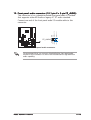
Using the NVIDIA® nTune™ utility
The motherboard supports the NVIDIA® nTune™ utility that allows easy and
safe system tuning for optimum performance. This utility provides the
safest and easiest way to tweak voltages or change system bus speeds
and memory timings for maximum system performance.
Follow the N V I D I A C h i p s e t D r i v e r P r o g r a m installation wizard to
install the NVIDIA® nTune™ utility from the motherboard support CD.
After you have successfully installed the utility in your computer, launch
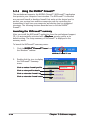
the nTune™ utility from the Windows® desktop by clicking S t a r t > A l l
P r o g r a m s > N V I D I A C o r p o r a t i o n > n T u n e > n T u n e from the
Windows® taskbar.
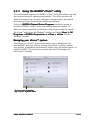
Managing your nForce™ system
The Manage my nForce™ system menu allows you to benchmark and
automatically tune your system, manage your nTune™ profiles, monitor
your system, troubleshoot performance, create a log, get online support, or
update the BIOS. This menu also provides shortcuts to manage your
nForceware™ settings.
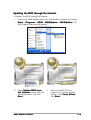
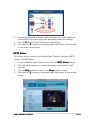
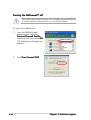
Click to launch Manage
my nForce™ system menu
ASUS K8N4-E Deluxe
5-27