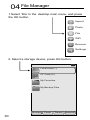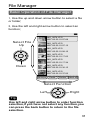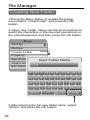
1
Browse Photos
Adjust the Dynamic Range
and Brightness of RAW Image
As the colors of the RAW data use 10bit/12bit/14bit,
so it has a large dynamic range for adjustment.
1.After the completion of the RAW data decoding,
press the Menu button to enable the function menu;
2.Select "Decode RAW Data”, and then press the OK
button or the right arrow button to enter the
submenu;
3.Select “RAW Brightness Control”, and then press
the OK button;
4.Press the left (<) and right (>) arrow button to
adjust the brightness; press the up (Λ) and down
(V) arrow button to adjust the dynamic range; press
the OK button to restore the original value; and press
the Back button to exit the brightness control.
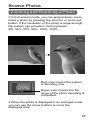
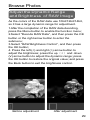
Before adjustment
After adjustment
29