1
118
Pramati Server 3.5 Installation & Configuration Guide
Modifying Server Configuration for WebStart
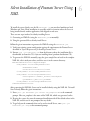
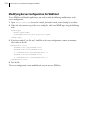
To use WebStart and launch applications, you need to make the following modifications to the
server configuration:
1 Open server-config.xml located at <install_dir>/nodes/<node_name>/config/ in an editor.
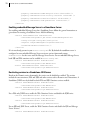
2 Under the web-container tag of the server-config file, add a new MIME type using the following
code:
<mime-type>
<name>.jnlp</name>
<type>application/x-java-jnlp-file</type>
</mime-type>
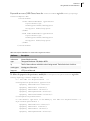
3 If you have masked *.jar files and *.xml files in the server configuration, remove or comment
these values in the file.
<masked-file-list>
<masked-file>.jsp</masked-file>
<masked-file>.java</masked-file>
<!--<masked-file>.xml</masked-file>-->
<masked-file>.war</masked-file>
<!--<masked-file>.jar</masked-file>-->
</masked-file-list>
4 Save the file.
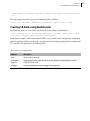
The server configuration is now modified and you can now use WebStart.