1
1
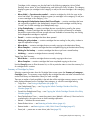
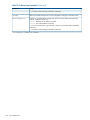
The blinking behavior is an on/off cycle once every 1.6 seconds, approximately.
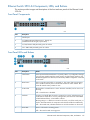
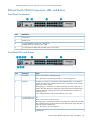
Ethernet Switch E6600 Components, LEDs, and Buttons
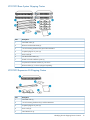
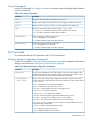
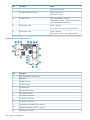
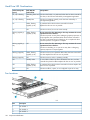
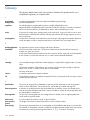
Front Panel Components
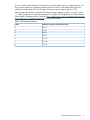
Item
Description
1
Console port
2
Auxiliary port
3
10/100/1000Base-T RJ-45 ports 1 through 24
(numbered from top to bottom, left to right)
4
10/100/1000 mini-GBIC dual-personality ports 21 through 24
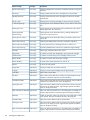
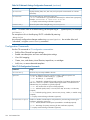
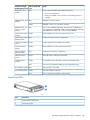
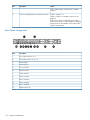
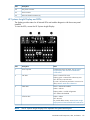
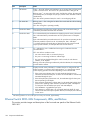
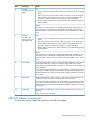
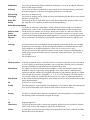
Front Panel LEDs and Buttons
Item
Description
Status
1
Power LED
Green = The switch is operating correctly.
Off = The switch is not operating correctly or is not receiving power.
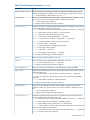
2
Fault LED
Orange = The switch has encountered a fatal hardware failure or has failed its
self-test. This LED comes on briefly after the switch is powered on or reset, at the
beginning of switch self test.
Blinking orange = A fault has occurred on the switch, one of the switch ports, or
the fan. The status LED for the component with the fault will blink simultaneously.
If just the Fault LED is blinking, the switch could be attached to an RPS but not
receiving power.
Off = Indicates that there are no fault conditions on the switch.
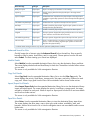
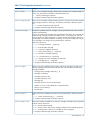
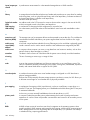
3
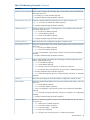
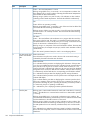
PS, Temperature, Fan, PS:
and Test Status LEDs
Green = The switch is receiving power.
Blinking orange = A fault has occurred on one of the power supplies. The PS Status
LED, Fault LED, and on the back of the switch the failed power supply LED (PS1 or
PS2) will all blink simultaneously.
Off = The switch is not receiving power.
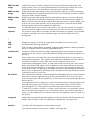
Temperature:
Ethernet Switch E6600 Components, LEDs, and Buttons
161