Download Compaq DIGITALPC 5510 Technical data
Transcript
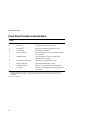
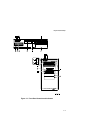
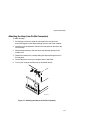
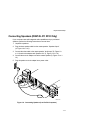
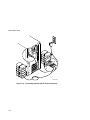
Contents Preface Introduction ..................................................................................................... Related Material .............................................................................................. Latest Product Information and Updates .......................................................... DIGITAL PC 3500/5510 Computers................................................................. Features................................................................................................... Chassis Versions...................................................................................... Audience ......................................................................................................... Organization.................................................................................................... Conventions .................................................................................................... Special Notices................................................................................................ ix ix x x xi xi xiv xiv xv xvi 1 Beyond Quick Setup Introduction ..................................................................................................... Front Panel Controls and Indicators................................................................. Rear Panel Connectors and Voltage Select Switch .......................................... Typical CD-ROM Front Panel (not available on all models) .............................. Removing your Computer’s Outside Cover ...................................................... SecureBOX (DIGITAL PC 5510 Only) ....................................................... Replacing your Computer’s Outside Cover....................................................... Chassis Lockdown........................................................................................... Attaching the Hasp (Low Profile Computers) ............................................. Attaching the Hasp (Short Tower Computers) ........................................... Connecting Speakers (DIGITAL PC 5510 Only) ............................................... Connecting Headphones (DIGITAL PC 5510 Only) .......................................... Connecting a Microphone (DIGITAL PC 5510 Only)......................................... Connecting a Local Printer............................................................................... 1-1 1-2 1-4 1-6 1-8 1-10 1-12 1-14 1-15 1-16 1-17 1-19 1-20 1-22 i